
Diagnostics and support
Rules on this page 8
| ID | Level | Rule |
|---|---|---|
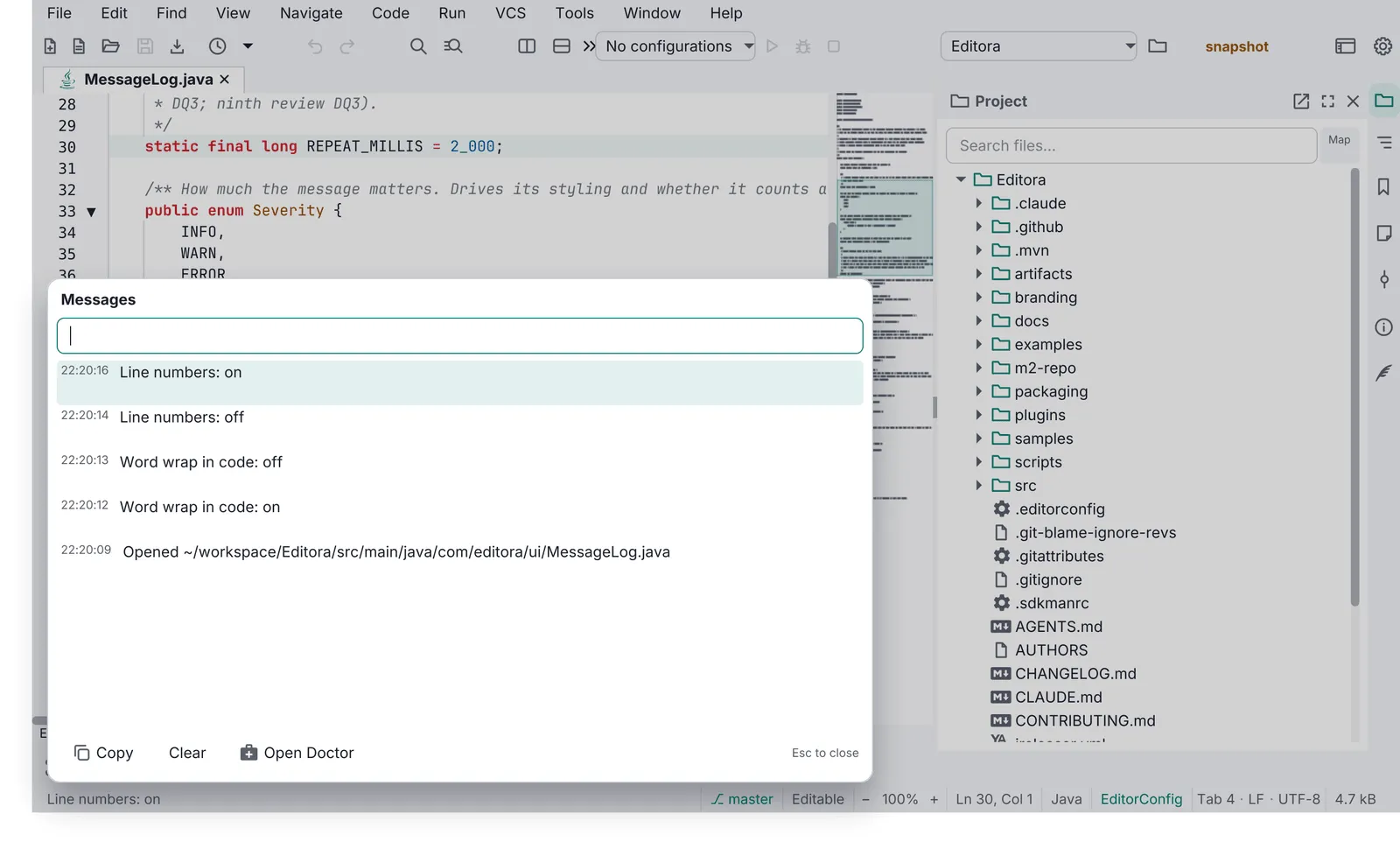
| DIAG-01 | MUST | The Message Log is a session-only, bounded history of every echo-area message with
HH:mm:ss times, newest first. Esc closes it; Clear empties it. A click on the echo area opens it
(WIN-01); the Message Log template has the rest.
|
| DIAG-02 | MUST | The Debug Log captures all java.util.logging records and uncaught exceptions in memory
(bounded) and mirrors them to <app>-session.log in the config folder, keeping the previous one as
<app>-session.prev.log so a crash is still visible next launch.
|
| DIAG-03 | MUST | The Debug Log opens in a modeless window with Refresh, Copy, Clear, Export and Report a
Problem.
|
| DIAG-04 | MUST | An uncaught exception handler is installed at the start of main, before the toolkit
starts, and routes to the Debug Log and an echo message. Never a stack trace dialog.
|
| DIAG-05 | MUST | The update notification reads GitHub /releases/latest once per app session (not per
window), at most once a day, a few seconds after the first frame. A newer version shows a status-bar notice and a
line in About; “Check for Updates” runs it by hand; Settings has an off switch. It never downloads or installs
by itself.
|
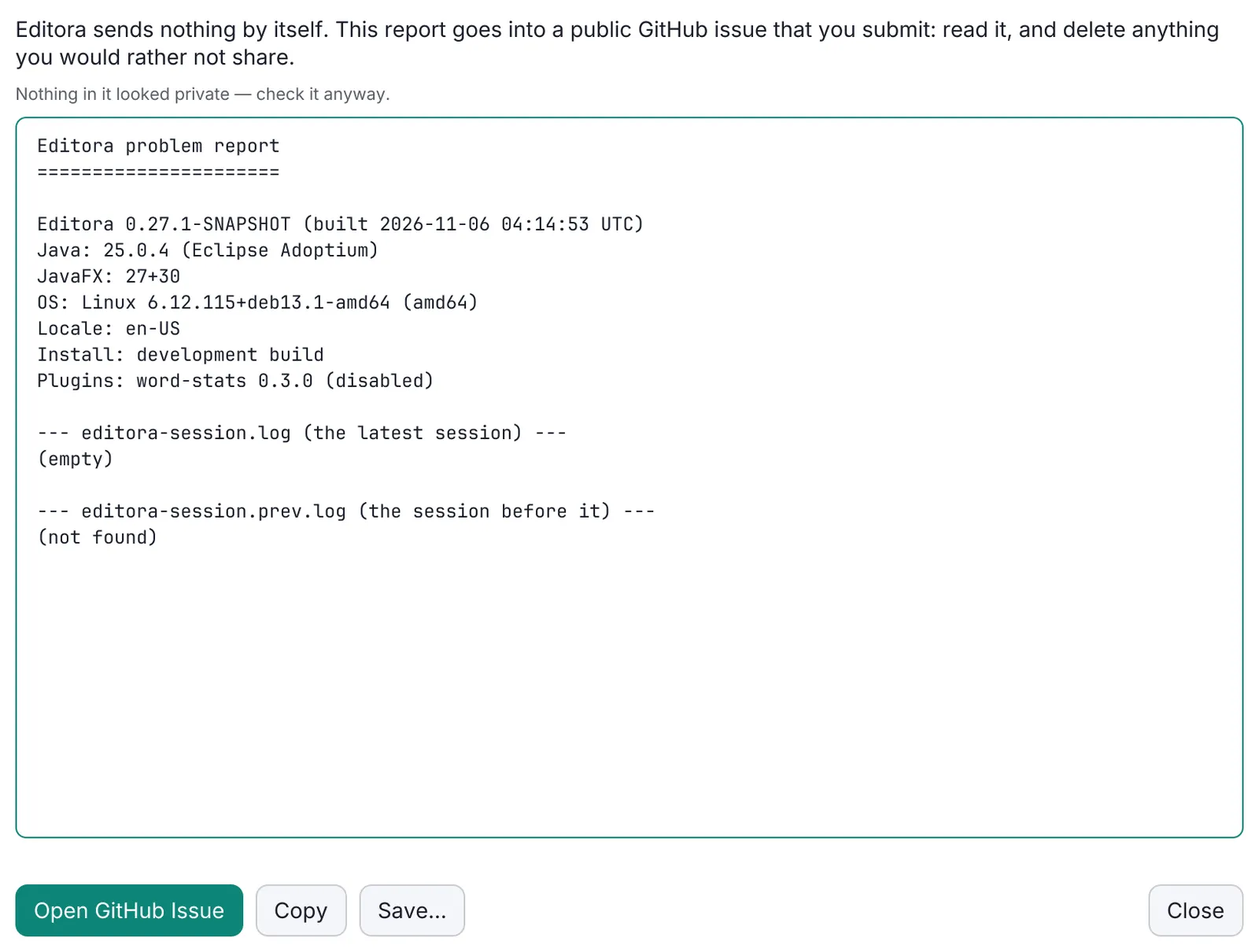
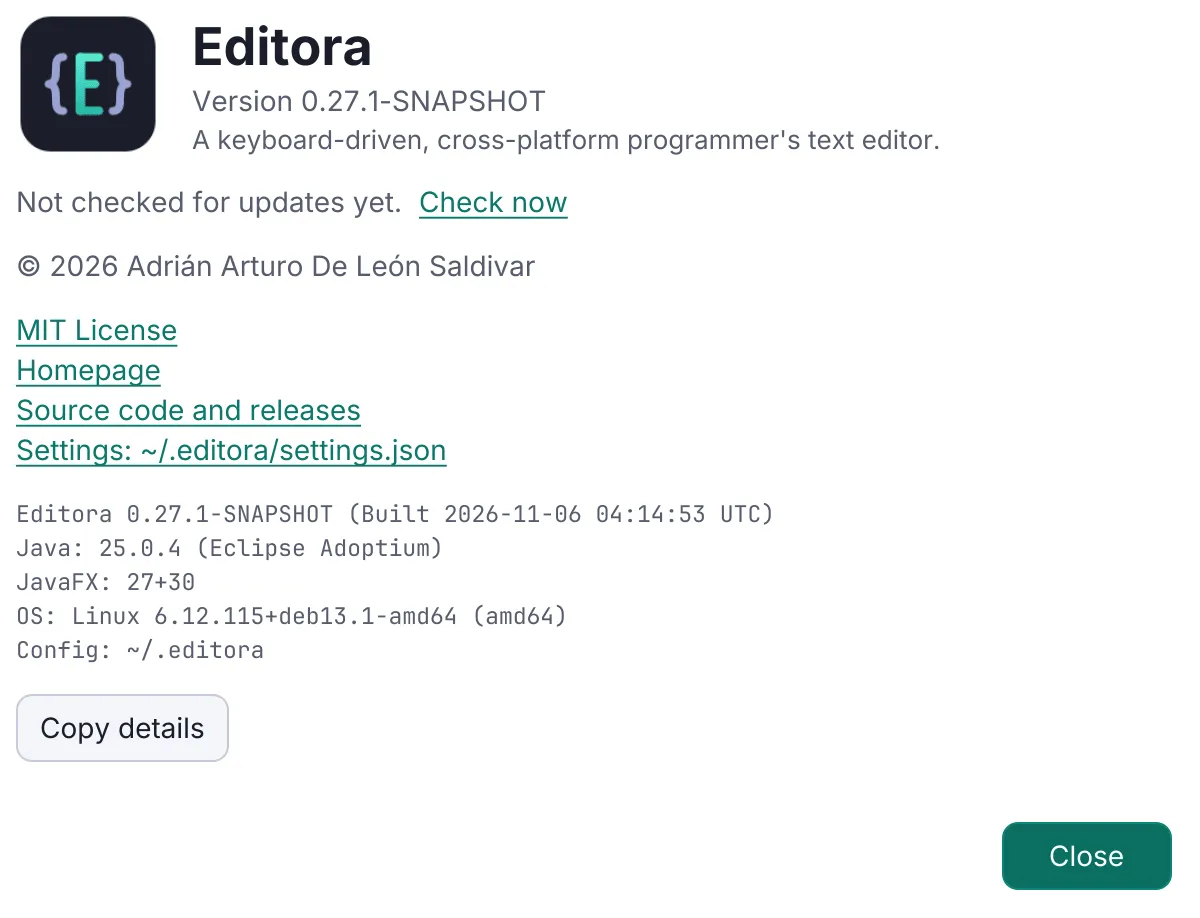
| DIAG-06 | MUST | Help → Report a Problem builds a report (version, OS, runtime, settings summary, recent
Debug Log), redacts it (home paths, user names, e-mail addresses, credentials, tokens), shows it editable,
copies it to the clipboard and opens a prefilled GitHub issue from bug_report.yml. Over about 7,500 characters
the link falls back to “paste from the clipboard”. Nothing is uploaded. The same report from the command line, for
when the app cannot start, is CLI-05.
|
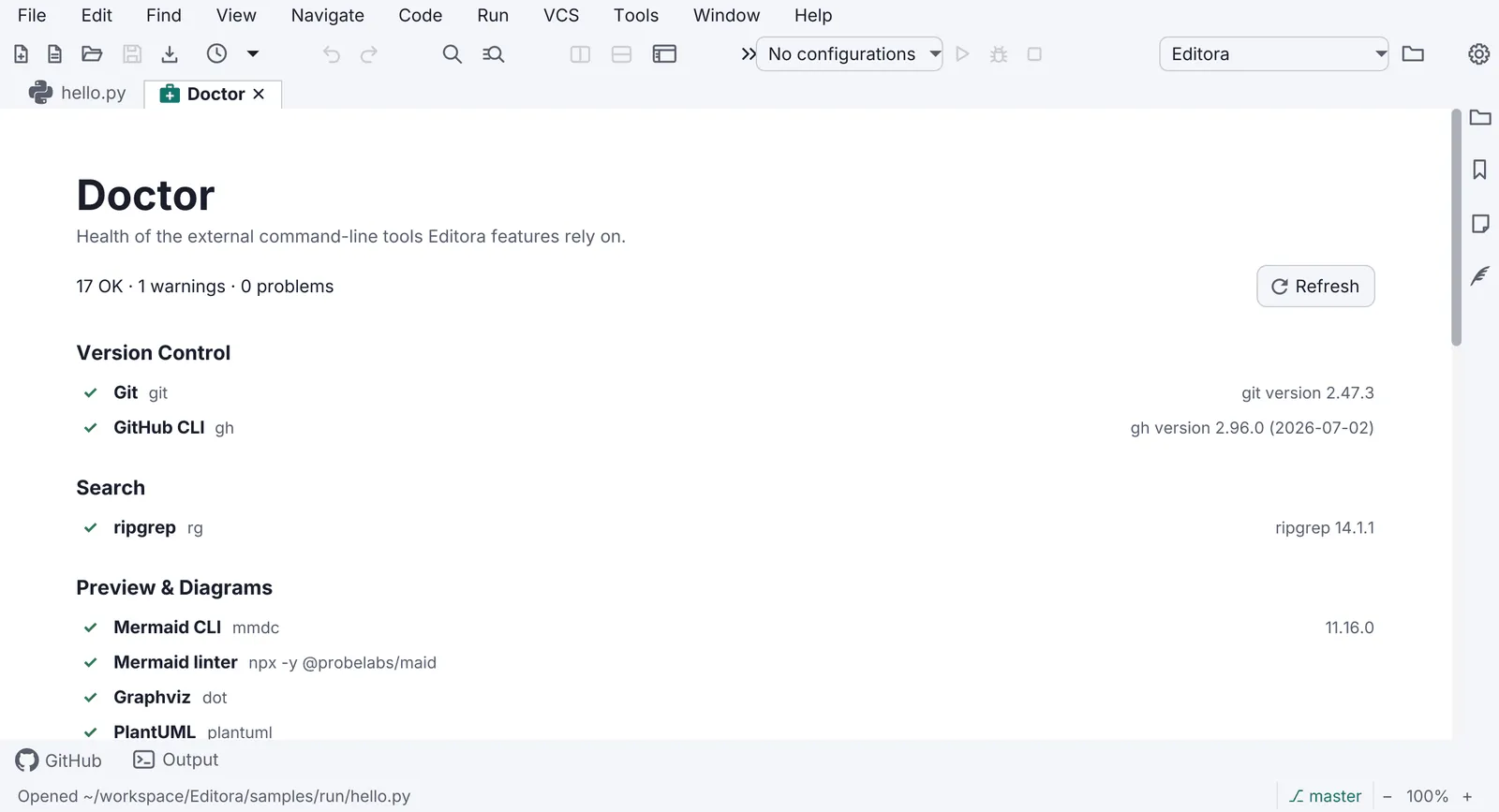
| DIAG-07 | SHOULD | A Doctor page checks the environment (external tools, versions, permissions, paths),
with a status per row and a fix or link for each failure.
|
| DIAG-08 | SHOULD | An app with user documents snapshots unsaved work off the FX thread and offers it back after
a crash.
|
- DIAG-01 MUST The Message Log is a session-only, bounded history of every echo-area message with
HH:mm:sstimes, newest first. Esc closes it; Clear empties it. A click on the echo area opens it (WIN-01); the Message Log template has the rest.- Check (test): a test records messages newest first, evicts the oldest past the cap, and clears.
- Reference: Editora
ui/MessageLog.java(MessageLogTest),ui/MessageLogPopup.java.
- DIAG-02 MUST The Debug Log captures all
java.util.loggingrecords and uncaught exceptions in memory (bounded) and mirrors them to<app>-session.login the config folder, keeping the previous one as<app>-session.prev.logso a crash is still visible next launch.- Check (test): tests bound the buffer and find the session file written and the previous one kept.
- Reference: Editora
ui/DebugLog.java(DebugLogTest,DebugLogSessionFileTest).
- DIAG-03 MUST The Debug Log opens in a modeless window with Refresh, Copy, Clear, Export and Report a
Problem.
- Why: it is the only way to see logs in a packaged build.
- Check (by hand): open the Debug Log and keep working in the main window while it is open.
- Reference: Editora
ui/DebugLogWindow.java.
- DIAG-04 MUST An uncaught exception handler is installed at the start of
main, before the toolkit starts, and routes to the Debug Log and an echo message. Never a stack trace dialog.- Check (code):
maincalls the install method before any argument handling orlaunch, and the handler shows no dialog. - Reference: Editora
DebugLog.install(). Editora, Torrenta and Termina log the exception but do not yet post an echo message.
- Check (code):
- DIAG-05 MUST The update notification reads GitHub
/releases/latestonce per app session (not per window), at most once a day, a few seconds after the first frame. A newer version shows a status-bar notice and a line in About; “Check for Updates” runs it by hand; Settings has an off switch. It never downloads or installs by itself.- Check (test): a test waits for the first paint and the delay, then checks once a session and not when off or not due.
- Reference: Editora
update/UpdateCheck.java,ui/UpdateCheckScheduler.java(UpdateCheckSchedulerTest),ui/UpdateCoordinator.java.
- DIAG-06 MUST Help → Report a Problem builds a report (version, OS, runtime, settings summary, recent
Debug Log), redacts it (home paths, user names, e-mail addresses, credentials, tokens), shows it editable,
copies it to the clipboard and opens a prefilled GitHub issue from
bug_report.yml. Over about 7,500 characters the link falls back to “paste from the clipboard”. Nothing is uploaded. The same report from the command line, for when the app cannot start, is CLI-05.- Check (test): redaction tests cover home paths, user names, e-mail addresses, credentials in URLs and tokens; a report test puts a short report in the link and leaves the paste hint for a long one.
- Reference: Editora
report/ProblemReport.java,report/Redactor.java,report/ReportCommand.java,ui/ReportProblemWindow.java(RedactorTest,ProblemReportTest).
- DIAG-07 SHOULD A Doctor page checks the environment (external tools, versions, permissions, paths),
with a status per row and a fix or link for each failure.
- Check (by hand): open the Doctor with a tool missing and find its row failed, with what to install.
- Reference: Editora
doctor/*,ui/DoctorPane.java.
- DIAG-08 SHOULD An app with user documents snapshots unsaved work off the FX thread and offers it back after
a crash.
- Check (test): a test finds an abandoned session’s snapshots and offers them to the first window only.
- Reference: Editora
recovery/RecoveryService.java(RecoveryServiceTest,CrashRecoveryFxTest).
Secrets never reach a log, a report or a config file: see Secrets stay out of files.
Pauta 4.5.0 · · Changelog · This page in the latest edition