
Settings Sync
Keeps the user’s data (snippets, templates, shortcuts, profiles, saved views) the same on every computer. No server and no account of ours: the store is a private Git repository the user owns.
SYNC-01 says which apps offer it: those with user data worth carrying between computers. Every other rule about sync, SYNC-02 here and SET-18 to SET-21 on the Settings page, applies to an app with Settings Sync.
- SYNC-01 SHOULD An app with user data worth carrying between computers offers Settings Sync, on a page of its
own in the Settings window that the Settings search finds by “sync”. Such data is what a person builds up in the
app by hand and would set up again on another computer: snippets, templates, shortcuts, profiles, presets,
bookmarks, saved views.
- Check (by hand): open Settings, search “sync”, and land on the Sync page. An app that keeps none of the data the statement lists is outside the rule.
- Reference: Editora
ui/SettingsSync.java(the service) andui/SettingsSyncPage.java, built bySettingsWindow(Category.SYNC). Termina, Torrenta and the app template have Settings Sync too. Modula, Mirada and nux keep such data (presets, bookmarks, profiles) and have no Settings Sync yet.
- SYNC-02 SHOULD In an app with Settings Sync (SYNC-01), the store is a Git repository the user
owns, reached through their own Git credentials (a credential helper or an SSH key), with no server or account of
ours. Refusing a URL with a password or token in it is SET-15.
- Check (code): the app’s sync code runs
gitagainst the URL the user gave, with their own Git credentials, and talks to no server or account of the app’s own. - Reference: Editora
sync/package (SyncEngine,SyncMerge,SyncAccount),SyncEngine.hasCredentials; Termina carries the same package, Torrenta its ownsync/withSyncEngineandSyncAccount; the page’s Spec.
- Check (code): the app’s sync code runs
How sync behaves is on the Settings page: setup and the pinned account (SET-18), when it runs and what never travels (SET-19), who wins a conflict and the backup (SET-20), and where its status shows (SET-21). This page shows them and does not state them again as rules.
Anatomy
Section titled “Anatomy”Sync
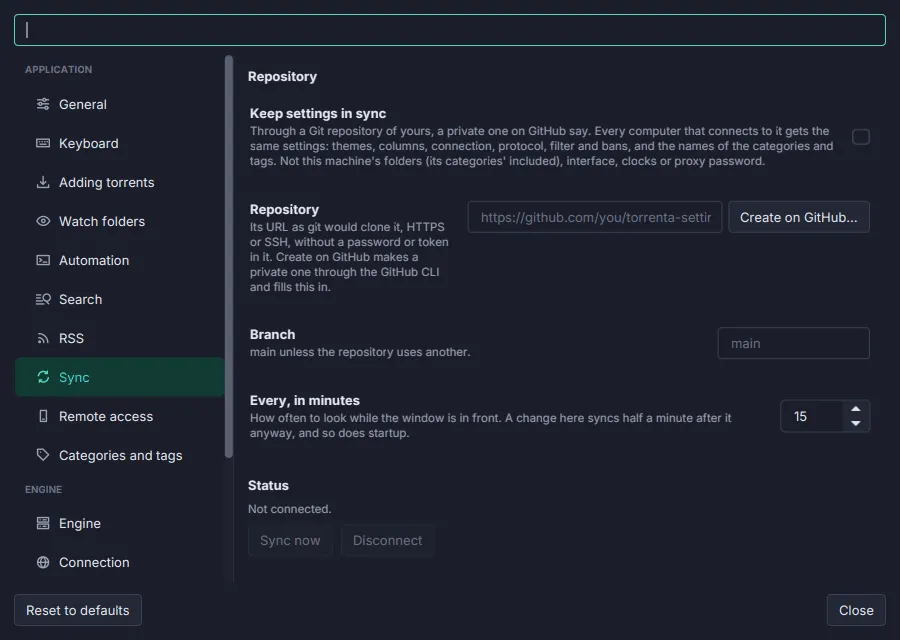
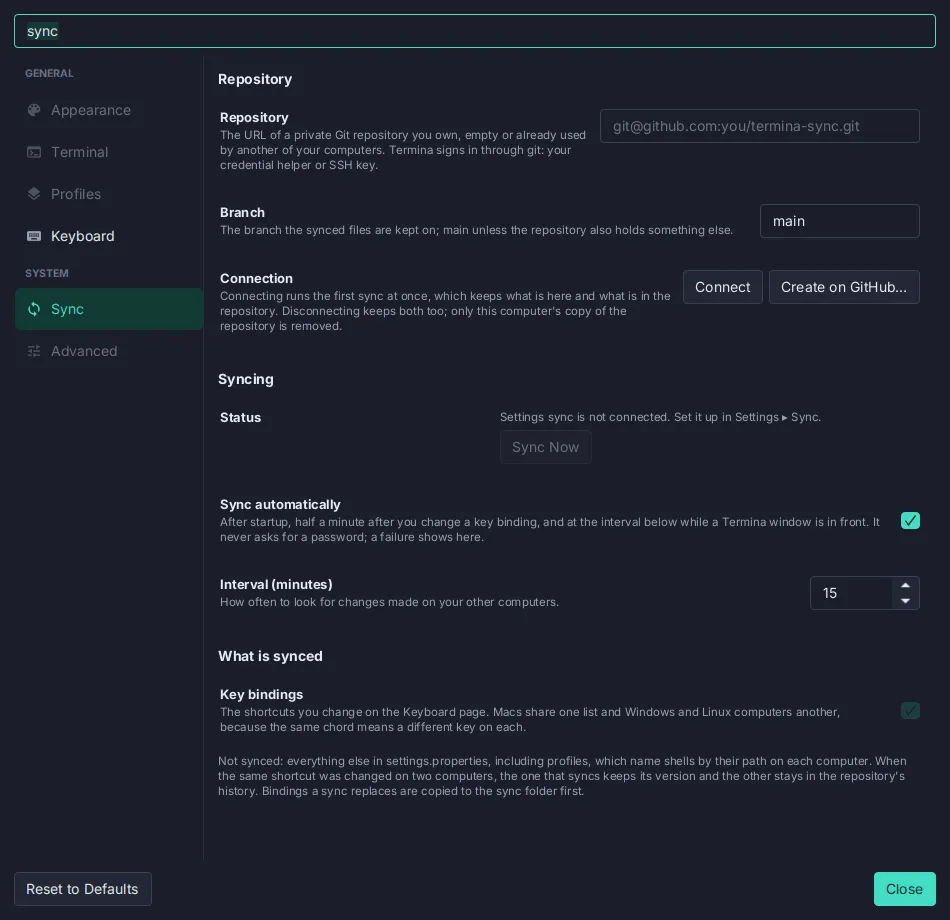
- 1Its own page in the Settings sidebar, under System, found by the Settings search ("sync", "git", "github").
- 2Repository URL. SSH or HTTPS. A URL with a password or token in it is refused, with the reason and the fix (a credential helper such as
gh auth setup-git, or an SSH URL). - 3Branch, Connect, Create on GitHub…. Connect clones or adopts the repository. Create on GitHub makes a private repository through the
ghCLI and fills the URL in. - 4Status pill plus Sync Now and Open Sync Folder (see the states below).
- 5What to sync: one switch per kind of data, each with a description when its scope is not obvious.
- 6What is not synced, said plainly: machine-local preferences, the keymap in use, anything with paths.
- 7Automatic sync with its interval in minutes (default 15, at least 1). Automatic runs never prompt.
- 8Privacy and conflicts, in one note: use a private repository; on a same-entry conflict the computer you sync from wins, and the other version stays in the history; files a sync replaces are copied to the sync folder first.
Status pill states
Section titled “Status pill states”Green, amber and red are the Settings status-pill colors. Amber means “will recover by itself” (offline, the remote unreachable); red means “the user must act” (Git missing, the repository written by a newer version, a sync that would remove most of a kind of data and waits for confirmation). The pill’s accessible text is “Sync status: …”.
| Property | Value | Reference |
|---|---|---|
| Store | A Git repository the user owns, cloned into <config>/sync/; one folder per kind of data | SyncEngine, SyncTarget |
| Sign-in | The user’s own Git credentials (credential helper or SSH key); the GitHub account that can read the repository is pinned per clone (SET-18) | SyncAccount |
| Automatic runs | After startup, 30 s after a local change, and every n minutes (default 15) (SET-19) | SettingsSync.DIRTY_DELAY_SECONDS, syncIntervalMinutes |
| Conflicts | Per entry; this computer wins; the other version stays in history (SET-20) | SyncMerge |
| Safety | Files a sync replaces are copied to the sync folder first (SET-20); a sync that would remove most of a kind of data stops and asks | SyncReport |
| One runner | Sync runs in the first instance only; a second instance says so | status.sync.secondaryInstance |
| Failures | To the status bar and the Message Log, said once per failure, not once per interval (SET-21) | SettingsSync |
| Palette | Settings Sync: Set Up…, Sync Now, and Toggle Sync Automatically | sync.setup, sync.now, sync.toggleAuto |
| Key | English |
|---|---|
settings.sync.subtitle | Keep your snippets, abbreviations, templates, personal dictionary and shortcuts the same on every computer, through a Git repository you own. |
settings.sync.connect / settings.sync.createGithub | Connect / Create on GitHub… |
settings.sync.now / settings.sync.openFolder | Sync Now / Open Sync Folder |
settings.sync.pill.* | Connected · Not connected · Sync failing · syncing… · retrying · synced {0} min ago |
status.sync.notSetUp | Settings sync is not connected. Set it up in Settings ▸ Sync. |
In the apps
Section titled “In the apps”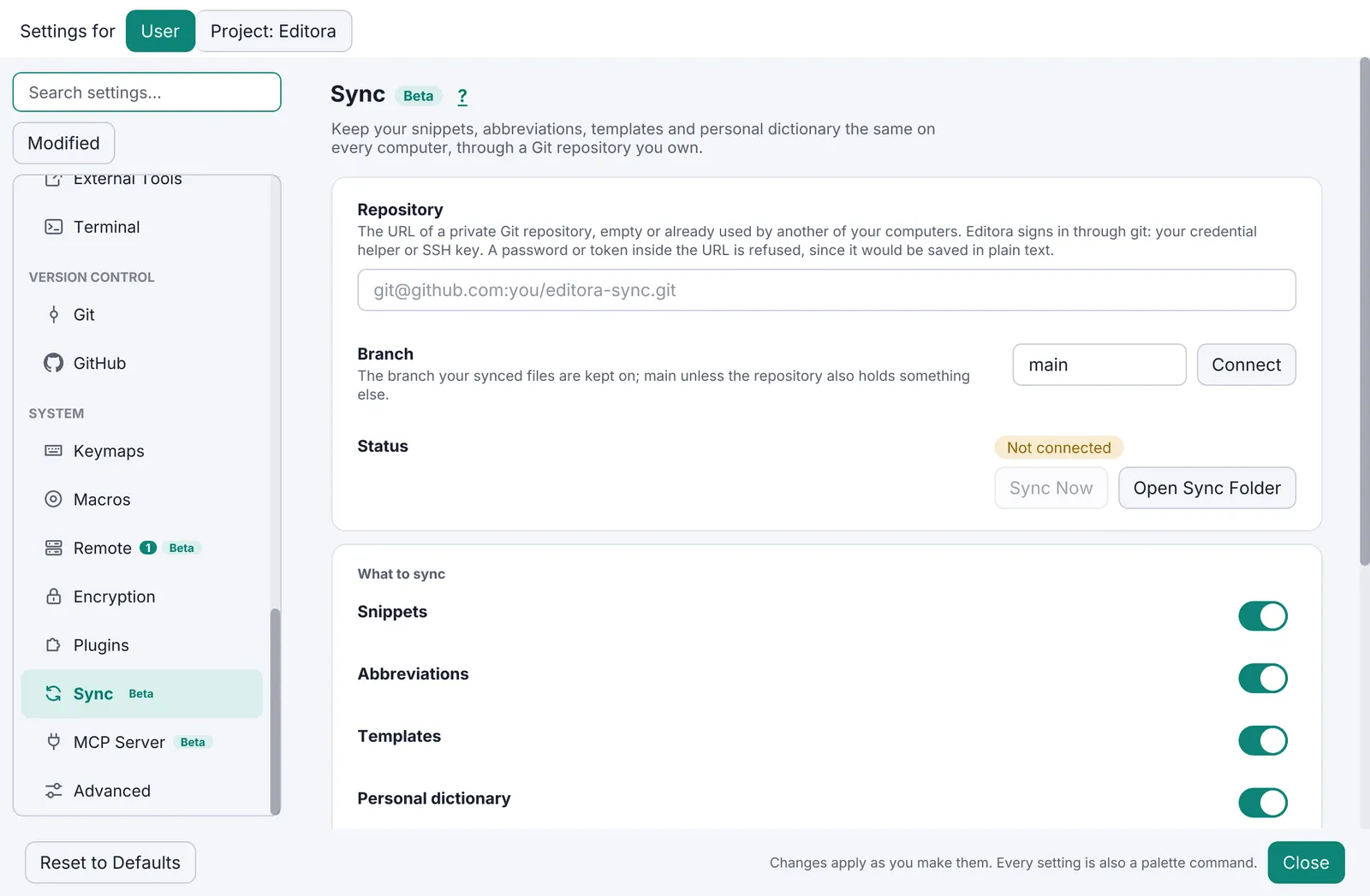
Pauta 6.0.0 · · Changelog · This page in the latest edition