Window shell
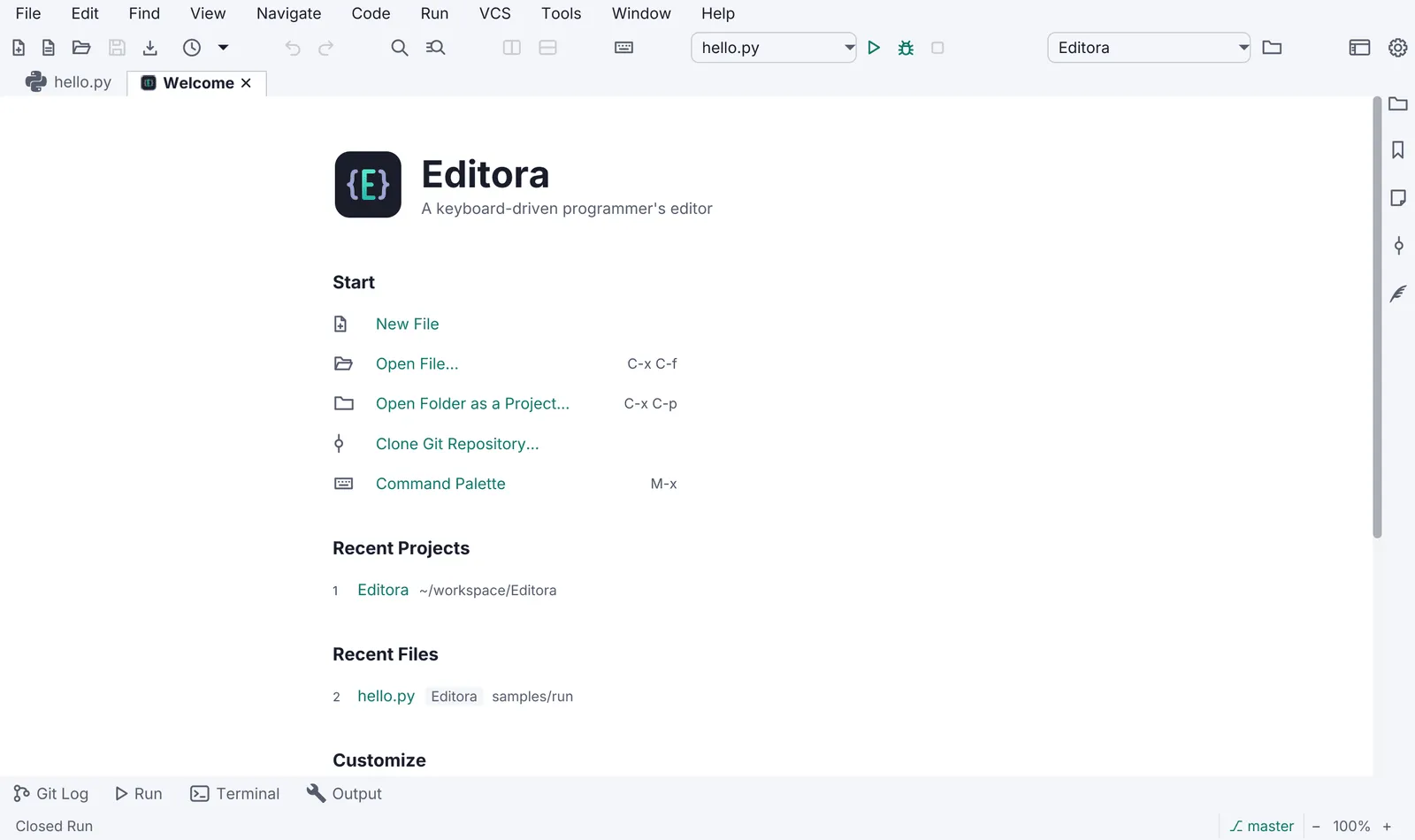
- Status bar, always present (toggleable). Its left side is the echo area: one line of feedback for the last action. Errors are red, warnings amber. Clicking it opens the Message Log.
- Themes: light and dark AtlantaFX themes plus a “follow the system” choice, switchable at run time without a restart. Semantic colours: amber = not durable yet (unsaved, read-only), red = broken, green = verified or added.
- Title bar: SHOULD use JavaFX 27’s
HeaderBarwithStageStyle.EXTENDEDto put the menu or tabs in the title bar, with a decorated-window fallback, anduseSystemMenuBaron macOS. - Native dialogs go through one helper (
Dialogs.styled) because a dialog is its own scene and does not inherit the app stylesheet or the UI font. - Welcome page when there is nothing to restore: Start actions (which run commands), Recent items, a Customize block (keymap and theme), Help links.
- About shows version, build, runtime (Java and JavaFX versions), licence, links, and the result of the last update check.
- Window state: size, position, maximized state and open items are restored on the next launch; a
--no-sessionflag skips the restore. - Zoom: UI and content zoom from the keyboard (
Ctrl/Cmd +,-,0), persisted. - Modes (MAY): Zen (no chrome), Simple (fewer menus for new users), Expert.
Version 1.0.0 · · Changelog