
Diagnostics and support
When something goes wrong, the user and the developer need the same evidence, and every app keeps it the same way. The Message Log holds what the status bar said this session; the Debug Log holds every log record and uncaught exception, and keeps the previous session’s file so a crash leaves its trace; the update check says when a newer version is out; and Report a Problem turns the evidence into a redacted GitHub issue the user reads and edits before it is sent. Two SHOULDs complete it: a Doctor page that checks the environment, and, in an app with user documents, unsaved work offered back after a crash.
Rules on this page 13
| ID | Level | Rule |
|---|---|---|
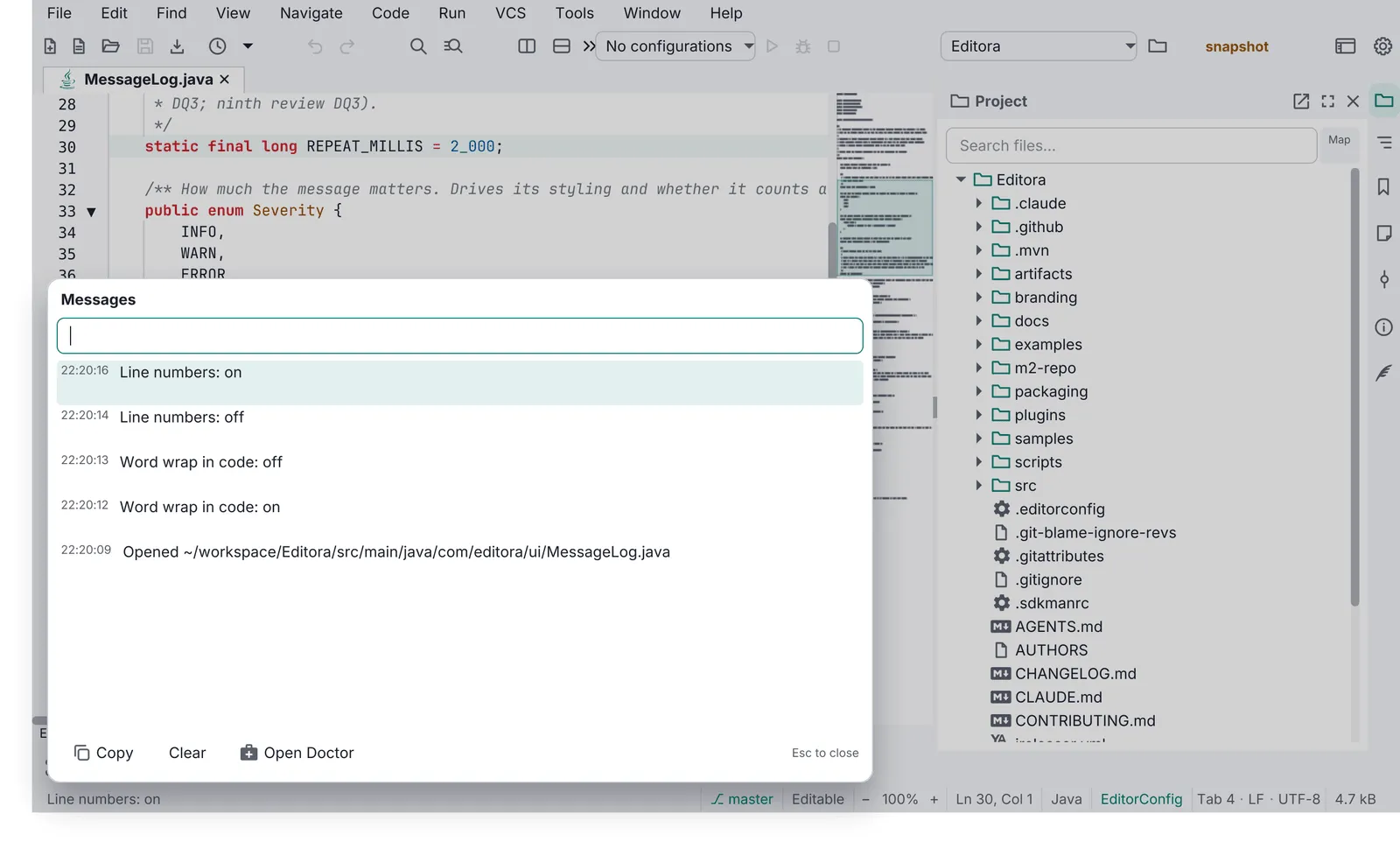
| DIAG-01 | MUST | The Message Log is a session-only, bounded history of every echo-area message with
HH:mm:ss times, newest first. Esc closes it; Clear empties it. What opens it, a click on the echo area, is
WIN-01’s to require; the Message Log template has the rest.
|
| DIAG-02 | MUST | The Debug Log captures all java.util.logging records and uncaught exceptions in memory
(bounded) and mirrors them to a session file in the config folder, keeping the previous session’s file so a
crash is still visible next launch. Editora names the two <app>-session.log and <app>-session.prev.log.
|
| DIAG-03 | MUST | The Debug Log opens in a modeless window with Refresh, Copy, Clear, Export and Report a
Problem. The window’s find bar is FIND-01.
|
| DIAG-04 | MUST | An uncaught exception handler is installed at the start of main, before the toolkit
starts, and routes to the Debug Log and an echo message. Never a stack trace dialog.
|
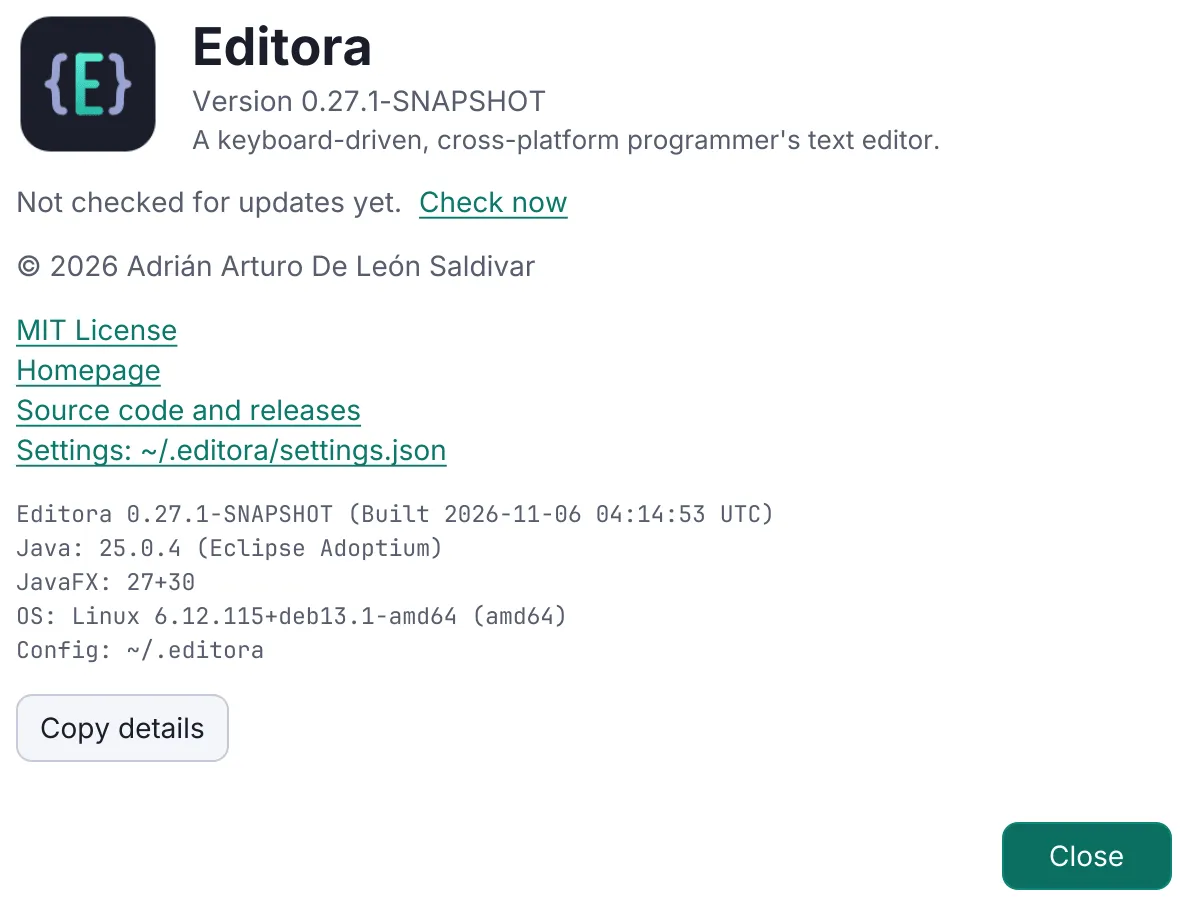
| DIAG-05 | MUST | The update check reads GitHub /releases/latest. The automatic check runs once per app
session (not per window), at most once a day, and starts at least three seconds after the first frame
(PERF-15); a check the user asks for (DIAG-10) runs when asked. It never
downloads or installs anything by itself.
|
| DIAG-09 | MUST | |
| DIAG-10 | MUST | |
| DIAG-06 | MUST | Report a Problem is a command, listed in the Help menu where the app has one, that builds a
report: the app’s version, the OS, the runtime, a summary of the settings and the recent Debug Log. Its redaction
is DIAG-11, its window DIAG-12 and the limit on the issue link’s length
DIAG-13. The same report from the command line, for when the app cannot start, is
CLI-05.
|
| DIAG-11 | MUST | An app’s problem report (DIAG-06) is redacted before it is shown: home paths,
user names, e-mail addresses, credentials and tokens are replaced.
|
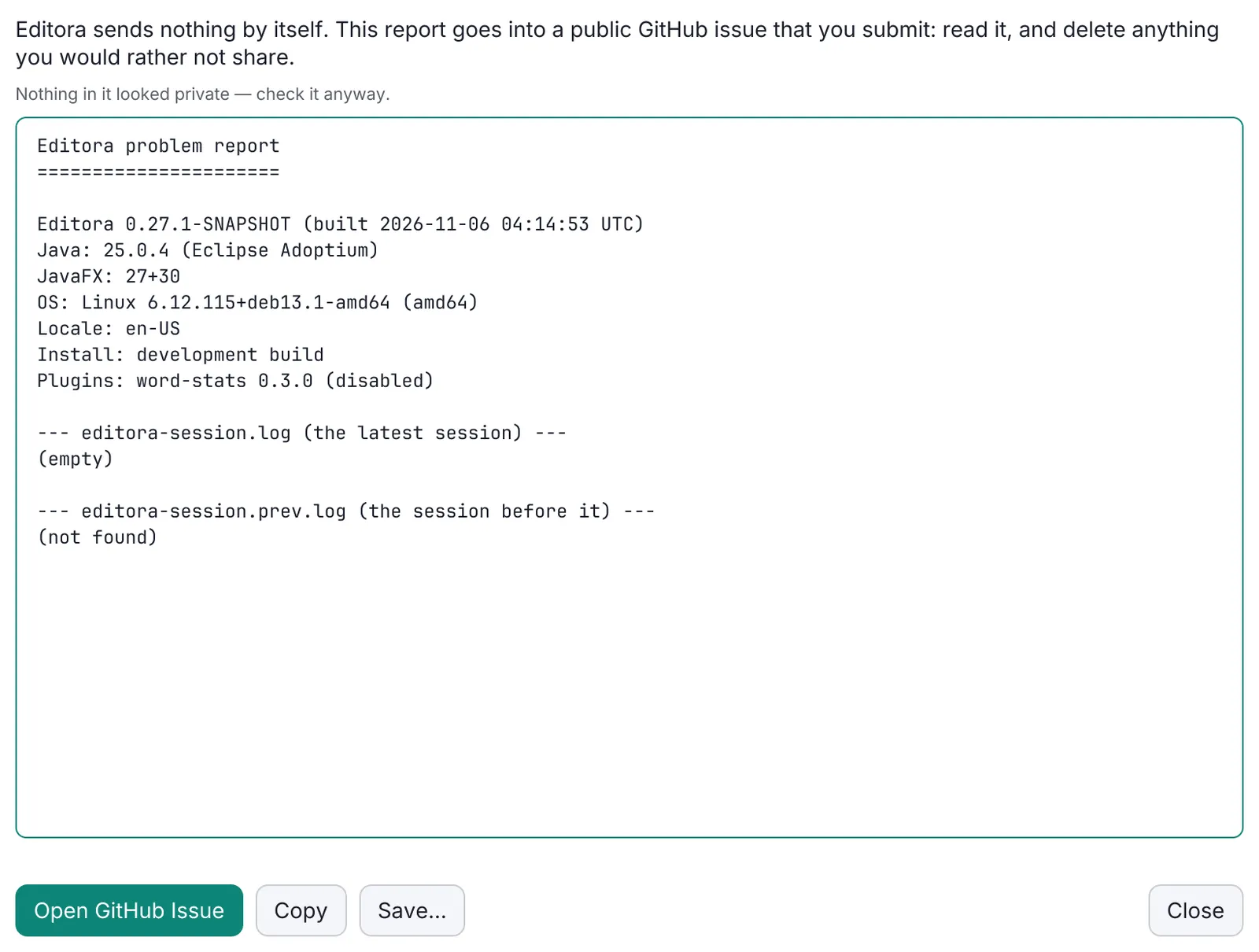
| DIAG-12 | MUST | The Report a Problem window shows the report in a field the user can edit. Its submit action
copies the report, as edited, to the clipboard and opens a GitHub issue prefilled from the repository’s
bug_report.yml form. Nothing is uploaded: the user submits the issue.
|
| DIAG-13 | MUST | When the issue link that Report a Problem prefills (DIAG-12) would be longer than
7,500 characters, the report stays out of the link: the form’s report field asks the user to paste the report
from the clipboard, where DIAG-12 has put it.
|
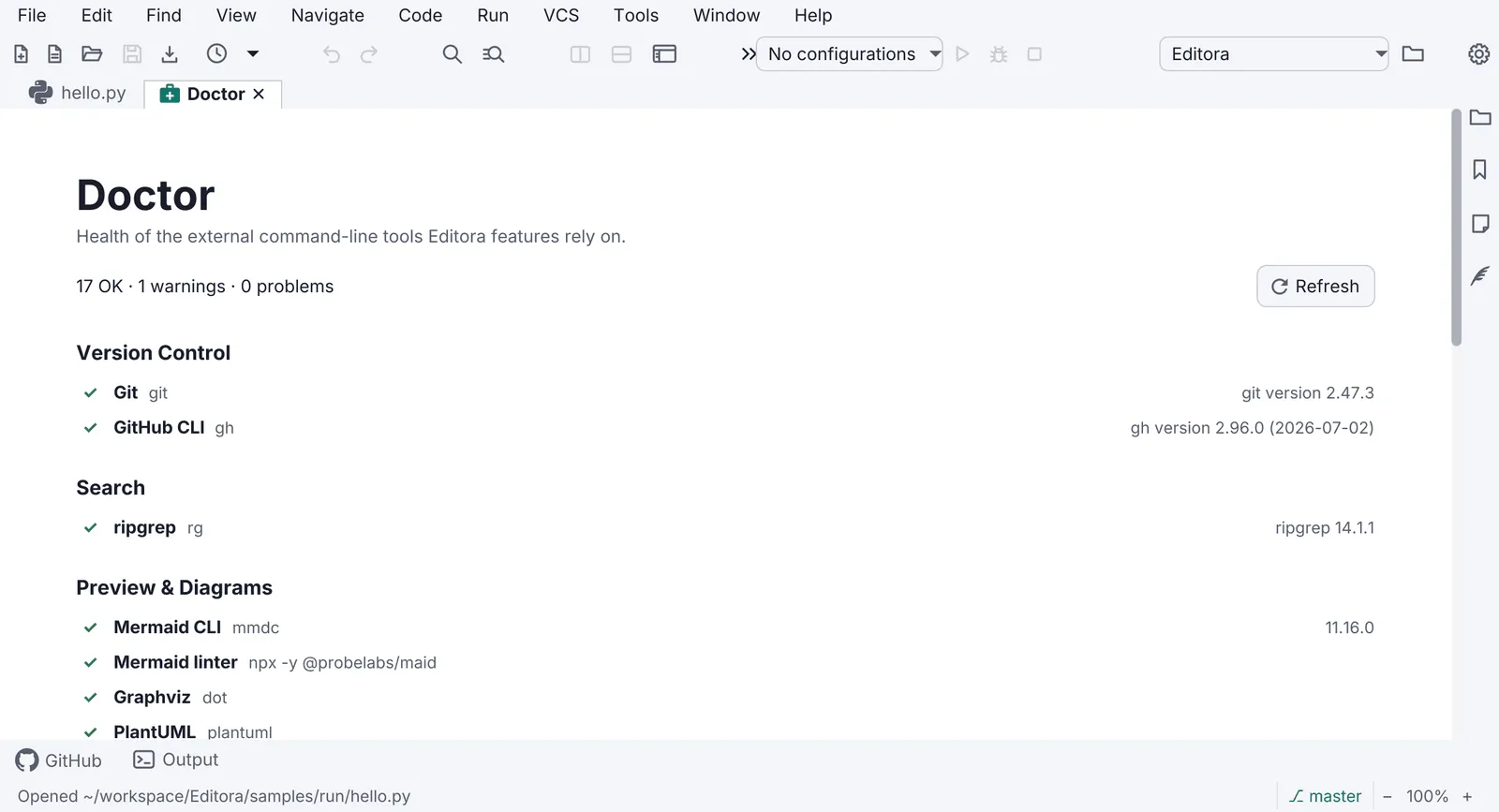
| DIAG-07 | SHOULD | A Doctor page checks the environment (external tools, versions, permissions, paths),
with a status per row and a fix or link for each failure.
|
| DIAG-08 | SHOULD | An app with user documents snapshots unsaved work off the FX thread and offers it back after
a crash.
|
- DIAG-01 MUST The Message Log is a session-only, bounded history of every echo-area message with
HH:mm:sstimes, newest first. Esc closes it; Clear empties it. What opens it, a click on the echo area, is WIN-01’s to require; the Message Log template has the rest.- Check (code): every message the echo area shows is added, with its time, to one log held in memory and never
written to disk; the log drops its oldest entry past a fixed count and lists the rest newest first with
HH:mm:sstimes; and its window closes on Esc and has a Clear action that empties it. A test that records messages newest first, evicts the oldest past the cap, and clears is the surest evidence. - Reference: Editora
ui/MessageLog.java(MessageLogTest),ui/MessageLogPopup.java.
- Check (code): every message the echo area shows is added, with its time, to one log held in memory and never
written to disk; the log drops its oldest entry past a fixed count and lists the rest newest first with
- DIAG-02 MUST The Debug Log captures all
java.util.loggingrecords and uncaught exceptions in memory (bounded) and mirrors them to a session file in the config folder, keeping the previous session’s file so a crash is still visible next launch. Editora names the two<app>-session.logand<app>-session.prev.log.- Check (code): a handler on the root
java.util.logginglogger and the uncaught exception handler feed one bounded buffer in memory and a session file in the config folder, and at start the last session’s file is kept under a second name before the new one is begun. Tests that bound the buffer and find the session file written and the previous one kept are the surest evidence. - Reference: Editora
ui/DebugLog.java(DebugLogTest,DebugLogSessionFileTest).
- Check (code): a handler on the root
- DIAG-03 MUST The Debug Log opens in a modeless window with Refresh, Copy, Clear, Export and Report a
Problem. The window’s find bar is FIND-01.
- Why: it is the only way to see logs in a packaged build.
- Check (code): the Debug Log’s window is a stage with no modality, so the main window keeps working while it is open, and it carries the five actions: Refresh, Copy, Clear, Export and Report a Problem.
- Reference: Editora
ui/DebugLogWindow.java. Termina’s, Mirada’s and the app template’s windows have the five actions too; Torrenta’s has no Export (ui/DebugLogWindow.java). Modula and nux have no Debug Log (DIAG-02).
- DIAG-04 MUST An uncaught exception handler is installed at the start of
main, before the toolkit starts, and routes to the Debug Log and an echo message. Never a stack trace dialog.- Check (code):
maincalls the install method before any argument handling orlaunch, and the handler posts an error to the echo area, and opens no dialog. - Reference: Editora
DebugLog.install()for the install and the log. The echo message is posted by Termina (ui/WindowManager.java, throughDebugLog.onUncaught), the app template (ui/Startup.java) and Mirada (App.java,uncaught). Editora’s handler and Torrenta’s (ui/DebugLog.java) log the exception but do not yet post one.
- Check (code):
- DIAG-05 MUST The update check reads GitHub
/releases/latest. The automatic check runs once per app session (not per window), at most once a day, and starts at least three seconds after the first frame (PERF-15); a check the user asks for (DIAG-10) runs when asked. It never downloads or installs anything by itself.- Check (code): the code that starts the automatic check waits for the first frame and then a delay of three
seconds or more before it asks GitHub’s
/releases/latestfor the app’s repository (Editora’sAfterFirstPaint, then a pause of five seconds); it asks once for the whole process, however many windows open, and not at all when the last check, whose time the app keeps from one session to the next, was less than a day ago, or when the setting is off (DIAG-10); and what it does with the answer is show it: no code downloads or installs a release. A test that asserts the wait, the one check a session and the two skips is the surest evidence. - Reference: Editora
update/UpdateCheck.java,ui/UpdateCheckScheduler.java(UpdateCheckSchedulerTest,waitsForTheFirstPaintThenTheDelayThenStampsAndChecksandonlyOnceASessionAndNotWhenOffOrNotDue),ui/UpdateCoordinator.java; Editora waits five seconds (UpdateCheckScheduler.DELAY). Termina (App.java, three seconds after its first frame), Mirada (update/UpdateCoordinator.java,scheduleStartupCheck, five seconds) and the app template (ui/UpdateCoordinator.java, started fromui/Startup.javaafter the first paint, five seconds) wait the same way. Three apps don’t wait yet: Torrenta starts its check as soon as its engine is ready (ui/MainWindow.java,maybeCheckForUpdates), and Modula (ModulaApp.java,checkForUpdates) and nux (App.java,maybeCheckForUpdates) start theirs insidestart().
- Check (code): the code that starts the automatic check waits for the first frame and then a delay of three
seconds or more before it asks GitHub’s
- DIAG-09 MUST When the update check (DIAG-05) finds a newer version, the status bar says so,
naming the version and linking its release. About’s line for the last check is
ABOUT-02.
- Check (code): when a check finds a newer version, the app shows a notice in the status bar that names that
version, and the notice, or a link beside it in the bar, opens that release’s page (Editora’s
UpdateCoordinatorshows a status-bar segment whose click opens the release). - Reference: Editora
ui/UpdateCoordinator.java. Mirada (ui/StatusBar.java) and the app template (ui/StatusBar.java) show a link in the bar, and Torrenta a badge there that opens the release (ui/MainWindow.java,updateBadge). Termina and Modula don’t link the release yet: their status message names the version and nothing in the bar opens it (Termina’sstatus.updateAvailable, posted fromui/WindowManager.java; Modula’sui/RadioPane.java,setAvailableUpdate). nux doesn’t meet it either: it has no status bar, and shows a button in its toolbar that opens the release (App.java,refreshUpdateNotice).
- Check (code): when a check finds a newer version, the app shows a notice in the status bar that names that
version, and the notice, or a link beside it in the bar, opens that release’s page (Editora’s
- DIAG-10 MUST Check for Updates runs the update check (DIAG-05) by hand, as a command in the
palette and in the Help menu, where the app has a Help menu (the Help menu of a menu bar, or a Help submenu of the
app’s main menu, which WIN-14 defines), and Settings has an off switch for the automatic
check.
- Check (code): the command (
help.checkForUpdatesin Editora) is registered and, in an app with a Help menu, listed there, and the scheduler skips the automatic check while the setting is off. - Reference: Editora
ui/MenuBarModel.java(help.checkForUpdates),ui/SettingsWindow.java(settings.checkForUpdates),ui/UpdateCheckScheduler.java. Mirada lists the command in the Help submenu of its main menu (ui/TitleBar.java,help) and in the Help menu of its macOS menu bar. nux, which has no menu bar, registers the command for its palette (app.checkUpdatesinApp.java).
- Check (code): the command (
- DIAG-06 MUST Report a Problem is a command, listed in the Help menu where the app has one, that builds a
report: the app’s version, the OS, the runtime, a summary of the settings and the recent Debug Log. Its redaction
is DIAG-11, its window DIAG-12 and the limit on the issue link’s length
DIAG-13. The same report from the command line, for when the app cannot start, is
CLI-05.
- Check (code): the command (
help.reportProblemin Editora) is registered and, in an app with a Help menu, listed there, and the text it builds carries the app’s version, the OS, the Java and JavaFX versions, a summary of the settings and the end of the Debug Log. - Reference: Termina
report/ProblemReport.java(ProblemReportTest,itCarriesTheEnvironmentTheUsefulSettingsAndTheEndOfTheLog), the app template’sreport/ProblemReport.javaand Mirada’sreport/ProblemReport.java. Editora’s (report/ProblemReport.java,help.reportProbleminui/MenuBarModel.java) and Torrenta’s (report/ProblemReport.java) carry the system details and the last two session logs, and no settings summary yet. Modula and nux have no problem report.
- Check (code): the command (
- DIAG-11 MUST An app’s problem report (DIAG-06) is redacted before it is shown: home paths,
user names, e-mail addresses, credentials and tokens are replaced.
- Check (code): the text the Report a Problem window shows has been through the redactor, and the redactor replaces home paths, user names, e-mail addresses, credentials in URLs and tokens. Redaction tests that cover each of the five are the surest evidence.
- Reference: Editora
report/Redactor.java(RedactorTest), applied inProblemReport.assemblebefore the window gets the text. The other four apps with a report do it too: Termina (RedactorTest), Torrenta (RedactorTest), Mirada (RedactorTest) and the app template (ReportTest,redactsPrivateDetails).
- DIAG-12 MUST The Report a Problem window shows the report in a field the user can edit. Its submit action
copies the report, as edited, to the clipboard and opens a GitHub issue prefilled from the repository’s
bug_report.ymlform. Nothing is uploaded: the user submits the issue.- Check (code): the window’s report field is editable; its submit action puts the field’s text on the clipboard
and opens a new-issue link that names
bug_report.ymlas its template and carries the report in the form’s fields; and the report’s code opens that link in the browser and makes no network request of its own. - Reference: Editora
ui/ReportProblemWindow.java(ReportProblemWindowFxTest,theEditedReportIsCopiedAndFilledIntoTheIssue),ProblemReport.issueUrl. Termina’sui/ReportProblemWindow.java, Torrenta’sui/ReportProblemWindow.java, Mirada’sui/ReportProblemWindow.javaand the app template’sui/ReportProblemWindow.javado the same. The five differ in one thing the rule does not ask. Only Termina sends everything as the user left it: its environment block (version, runtime, OS) is a second editable field. The other four fill the form’s environment field from the block as the app built it, whatever the user edits: Editora and Torrenta show the block at the top of the editable report, Mirada shows it as a label, and the app template does not show it.
- Check (code): the window’s report field is editable; its submit action puts the field’s text on the clipboard
and opens a new-issue link that names
- DIAG-13 MUST When the issue link that Report a Problem prefills (DIAG-12) would be longer than
7,500 characters, the report stays out of the link: the form’s report field asks the user to paste the report
from the clipboard, where DIAG-12 has put it.
- Check (code): the code that builds the issue link puts the report in the form’s report field while the link stays within 7,500 characters, and past that puts the paste hint in that field instead. A test that builds the link for a short report and for a long one is the surest evidence.
- Reference: Editora
ProblemReport.issueUrl(MAX_URL_LENGTH, 7500;ProblemReportTest,aShortReportGoesIntoTheIssueLinkItselfandaLongReportLeavesThePasteHintInstead). Torrenta (ProblemReportTest,aShortReportGoesInTheLinkAndALongOneLeavesTheHint), Mirada (ProblemReportTest,aLongReportAsksForAPaste) and the app template (ReportTest,issueLinkFillsTheFormOrFallsBackToTheClipboard) do the same at the same limit. Termina has the limit (MAX_LINK_LENGTH;ProblemReportTest,aLongReportFallsBackToTheClipboard) but not the hint yet: past it, its link leaves the form’s report field empty, and only its own window says to paste (report/ProblemReport.java,link;report.paste).
- DIAG-07 SHOULD A Doctor page checks the environment (external tools, versions, permissions, paths),
with a status per row and a fix or link for each failure.
- Check (by hand): open the Doctor with a tool missing and find its row failed, with what to install.
- Reference: the app template’s
sync/Doctor.javaandui/DoctorWindow.java, opened byhelp.doctorand from Settings: a row for each tool it uses,gitfailed with what to install and a link when it is missing (DoctorTest,aMissingToolFailsItsRowWithWhatToInstall). Editoradoctor/*,ui/DoctorPane.java.
- DIAG-08 SHOULD An app with user documents snapshots unsaved work off the FX thread and offers it back after
a crash.
- Check (code): unsaved documents are written to snapshot files from a background thread while the user works, and the first window opened after a crash finds the abandoned session’s snapshots and offers them back. A test that finds an abandoned session’s snapshots and offers them to the first window only is the surest evidence.
- Reference: Editora
recovery/RecoveryService.java(RecoveryServiceTest,CrashRecoveryFxTest).
Secrets never reach a log, a report or a config file: see Secrets stay out of files.
Pauta Next · unreleased changes after 6.1.0 · Changelog · This page in the latest edition