
Tray and background
An app whose work goes on without its window (Torrenta’s transfers, Modula’s radio, nux’s monitoring) lives behind a
tray icon. Reference: Torrenta’s tray/ package (Trays, TorrentaTray, SniTray, AwtTray, TrayIconRenderer,
SniMenuModel), os/Autostart with os/AutostartSpec, and automation/Notifiers. Modula’s and nux’s tray/ packages
are earlier copies of it with their own menus: on Linux both fall back to the AWT tray when the StatusNotifierItem
fails, and Trays.create returns a tray or nothing, with no reason (nux tray/Trays.java, Modula tray/Trays.java).
Only Torrenta has Trays.Attempt, the reason and no fallback. nux’s TrayController holds the close policy.
Applies to: an app whose work goes on without its window, as Torrenta’s, Modula’s and nux’s does.
For the others (Editora, Termina, Mirada) a tray is optional and none has one. Only Notifications applies to them, and only to an app that sends them.
Rules on this page 13
| ID | Level | Rule |
|---|---|---|
| The icon and its menu | ||
| TRAY-01 | MUST | The tray is a StatusNotifierItem on Linux, with no AWT fallback, and AWT’s SystemTray on
Windows and macOS. The app creates it on a background thread, never on the FX thread, and no sooner than the
code that shows the main window, so the first frame never waits for the tray.
|
| Behavior | ||
| TRAY-02 | MUST | An app that lives behind a tray icon is fully usable when no icon comes up. No icon is a
normal outcome (stock GNOME has no StatusNotifier host), not an error, and the main window then says in its
status line why there is none and that closing the window quits the app.
|
| TRAY-03 | MUST | Closing the window hides it only while an icon is actually up and the setting says so, both
read at close time; otherwise a close quits. Platform.setImplicitExit(false) is set only once a tray exists,
and turning the tray off brings a hidden window back.
|
| TRAY-04 | MUST | |
| TRAY-05 | SHOULD | --minimized starts the app with no window in front, in one of two ways. With the tray
setting on it comes up behind the icon: the window is not shown until the tray attempt has answered, and if the
icon that was asked for does not come, the window is shown after all. With the tray setting off there is no icon
to wait for, and the window starts minimized.
|
| TRAY-06 | SHOULD | Start at login writes the OS’s own entry, and nothing else: an XDG autostart entry in
~/.config/autostart (quoted Exec, StartupWMClass matching the installed launcher,
X-KDE-autostart-after=panel so a tray host is up first), a LaunchAgent in ~/Library/LaunchAgents, the
HKCU\…\Run value on Windows (read together with StartupApproved, where Task Manager keeps the person’s
“off”). The entry is the one truth: turned off in GNOME Tweaks, KDE’s Autostart page or Task Manager, the box
shows unticked. The one setting beside it is start behind the tray icon, written into the entry as
--minimized.
|
| TRAY-07 | SHOULD | Only the app writes the login entry, and only from an installed package: the installers
never do it, and a run from source says it has nothing to start.
|
| TRAY-12 | MAY | A dock badge: an app may put a figure of its own on the macOS dock icon through AWT’s Taskbar
and on a Linux launcher that honors Unity’s LauncherEntry signal (KDE, Dash to Dock); nothing on Windows, whose
taskbar badges only AWT’s own windows. The badge is cleared when there is nothing to show and has its own switch.
Torrenta’s is the download rate on the dock and a count on the launcher, cleared when nothing downloads.
|
| TRAY-13 | SHOULD | A second launch brings the hidden window forward: the
single-instance hand-off shows a window hidden to the tray before it opens what it was given.
|
| TRAY-14 | SHOULD | A tray makes AWT headful on Windows and macOS only, where the tray is AWT’s
(TRAY-01); on Linux the app stays headless with its tray on. CLI-09 holds
the rule this is part of, for an app with a tray or without one: the whole list of uses that may make AWT
headful, and that main decides it once, at start-up. Because it is decided once, a tray turned on later tells
the user to restart (“restart to show the tray icon”), never that the tray is unsupported.
|
| Notifications | ||
| TRAY-09 | MUST | Desktop notifications go through one notifier: notify-send on Linux, osascript with
display notification on macOS, a PowerShell toast on Windows. On Linux an app may also fall back to gdbus
against the freedesktop service where notify-send is missing; the rule does not ask for it. Each is a short
program, and the text reaches the program as data (an argument, or an environment variable a fixed script
reads), never as part of a script. It runs off the FX thread, and the call times out after ten seconds or less;
a failure is logged and never breaks the app.
|
| TRAY-10 | MUST | Desktop notifications are for what happened while the window was away: the app posts none
for an event whose window, or whose tab, is the one in front. Each kind of event has a switch of its own, and
where the app notifies of several kinds, most of the switches start off.
|
| TRAY-11 | SHOULD | A notification is never the only place a state is said: the in-app status already shows it.
|
The icon and its menu
Section titled “The icon and its menu”- 1The icon is the app's own mark, recolored by state, not a badge. Torrenta's arrow is teal while something downloads, muted when nothing does, red on an error; Modula's broadcast glyph amber while listening, ink when stopped, coral on a fault. The exception is an app whose state is a number: nux draws a rounded whole number (charge, load or minutes left) colored by severity, gray when disconnected, never a decimal like "101.5", which is unreadable at 22 px.
- 2Status line, disabled, first. It is also the tooltip, because GNOME's AppIndicator extension renders a StatusNotifierItem's menu but not its tooltip, so the menu is the one place the live figures are sure to appear.
- 3The main actions the window would offer, so the common jobs need no window: Listen becomes Stop, Record is grayed (not hidden) until the receiver runs; Torrenta's menu has none; nux offers Connect, Switch UPS and the instant commands, which still go through the app's confirmation.
- 4Show App brings the window back, as a left click on the icon does.
- 5Quit, after a separator. The only way to end the program apart from File → Quit and the system's Quit.
Tray menus are text only: AWT’s PopupMenu and dbusmenu show no item icons, so the menu rules about
icons and chords do not apply here. The rows come in the mockup’s order: the status line, the actions, Show
App, then Quit after a separator.
- TRAY-01 MUST The tray is a StatusNotifierItem on Linux, with no AWT fallback, and AWT’s
SystemTrayon Windows and macOS. The app creates it on a background thread, never on the FX thread, and no sooner than the code that shows the main window, so the first frame never waits for the tray.- Why: D-Bus and AWT can block, and neither is worth a stalled first frame. On Linux AWT’s tray is the XEmbed one, which GNOME dropped in 3.26 and Wayland never had, so there is nothing worth falling back to.
- Check (code): on Linux the code that creates the tray makes the StatusNotifierItem or reports that there is
no tray, and no branch of it falls back to AWT’s tray (Torrenta’s
Trays.create, which makes anAwtTrayoff Linux only); on Windows and macOS it makes the AWTSystemTrayicon; and the main window runs it on a background thread that it starts as it shows itself, or later. - Reference: Torrenta
tray/Trays.java(create) andMainWindow.installTray, whichshowcalls and which starts atray-initthread; the Spec table. Modula and nux don’t pass yet: on Linux theirTrays.createfalls back toAwtTraywhenSniTrayfails (Modulatray/Trays.java, nuxtray/Trays.java).
| Property | Value | Reference |
|---|---|---|
| Linux backend | A StatusNotifierItem on the session bus, found through org.kde.StatusNotifierWatcher: KDE natively, GNOME with the AppIndicator extension, X11 and Wayland alike. No AWT fallback in Torrenta: the XEmbed tray GNOME dropped in 3.26 and Wayland never had. Modula and nux still fall back to it | SniTray, StatusNotifierWatcher, Trays.create |
| Windows and macOS | AWT SystemTray, every mutation on the EDT, a multi-resolution image so a HiDPI tray picks a crisp variant | AwtTray |
| Created | Off the FX thread, after the first frame (D-Bus and AWT can block); in Torrenta the outcome is a tray or the one-line reason there is none, in Modula and nux a tray or nothing | Trays.Attempt, MainWindow.installTray |
| Icon | Pure Java2D from the branding SVG’s geometry, at each size the backend asks for, so the panel entry and the dock entry are one mark | TrayIconRenderer, TrayDisplay |
| Attention | A state that needs a person sets the SNI status NeedsAttention; otherwise Active | SniTray.update |
| Left click | Shows the window: SNI Activate and SecondaryActivate, a single primary click on the AWT icon | SniTray.Item, AwtTray |
| Right click | The menu; the host pulls it from the item’s Menu property | SniMenu, SniMenuModel |
| Updates | Only when the value-equal snapshot changed: a repaint crosses a process boundary on Linux. Torrenta polls once a second, Modula nine times | TrayDisplay, MainWindow.pushTray |
| Package | Free of JavaFX: it takes callbacks, and the window marshals them onto the FX thread | TorrentaTray |
Behavior
Section titled “Behavior”- TRAY-02 MUST An app that lives behind a tray icon is fully usable when no icon comes up. No icon is a
normal outcome (stock GNOME has no StatusNotifier host), not an error, and the main window then says in its
status line why there is none and that closing the window quits the app.
- Why: the bug they actually hit is silence: the box says close to tray, and closing quits.
- Check (code): when the attempt to create the tray returns none, the code sets the main window’s status message (the echo area of its status bar, where it has one) to the reason and to the fact that closing the window quits; and the tray’s menu holds no action the window lacks.
- Reference: Torrenta
MainWindow.installTray(“No tray icon (…); closing the window quits Torrenta”,status.noTray); Modula’s status says closing the window will quit it (RadioPane.reportNoTray). nux doesn’t pass yet: when no tray comes it shows the window, if it was hidden, and says nothing (TrayController.onCreated).
- TRAY-03 MUST Closing the window hides it only while an icon is actually up and the setting says so, both
read at close time; otherwise a close quits.
Platform.setImplicitExit(false)is set only once a tray exists, and turning the tray off brings a hidden window back.- Why: the checkbox can change while the window is open, and hiding a window that leaves no icon behind is how a program becomes unreachable.
- Check (code): the close handler tests that a tray exists and reads the live setting;
setImplicitExit(false)sits after the tray is created. - Reference: Torrenta
MainWindow.setOnCloseRequest, Modula’sinstallCloseBehaviour, nux’sTrayController.closeHidesWindowandupdateImplicitExit.
- TRAY-04 MUST The tray’s Quit runs the app’s one quit method (WIN-13), and a quit
ends the program with the window showing or hidden to the tray: the close handler never takes a quit for a close
and hides the window, and the method exits outright, since closing the last window no longer does
(TRAY-03).
- Why: a close hides a tray app’s window, so a quit that goes through a close leaves the program running behind its icon. The tray’s Quit also arrives while a dialog may be open, and quitting from inside a nested event loop aborted the JVM, which is why the quit method closes dialogs first.
- Check (code): the tray’s Quit callback runs the quit method on the FX thread; the method marks the quit, so the
close handler doesn’t hide the window, tears down when the window is already hidden, and calls
Platform.exit. On macOS the app menu’s and the Dock’s Quit reach the method too (WIN-13): JavaFX turns them into a close request on every window (GlassStage.requestClosingAllWindows), and a tray app that doesn’t catch Glass’s quit action hides to the tray instead of quitting. - Reference: Torrenta
MainWindow.quitfor the tray and File → Quit: it setsquitting, which the close handler reads, closes open dialogs and waits for their loops, then closes the window or, when it is hidden, shuts down directly. It doesn’t catch macOS’s Quit yet, so there Quit hides the window. Modula’s tray Quit runsModulaApp.quitand nux’s callsPlatform.exit(App), as itsapp.quitcommand does; neither closes open dialogs first or catches macOS’s Quit.
- TRAY-05 SHOULD
--minimizedstarts the app with no window in front, in one of two ways. With the tray setting on it comes up behind the icon: the window is not shown until the tray attempt has answered, and if the icon that was asked for does not come, the window is shown after all. With the tray setting off there is no icon to wait for, and the window starts minimized.- Why: a start at login can then never leave a program with no way back: a hidden window has its icon, and a minimized one is on the taskbar or in the Dock. A person who turned the tray off asked for the minimized window. A person who asked for an icon looks for the icon, so when none comes the window is what tells them, with the reason on its status bar (TRAY-02).
- Check (code): with the tray setting on, a
--minimizedstart leaves the window hidden until the tray attempt answers, and shows it when the attempt returns no tray; with the setting off it shows the window minimized and waits for nothing. - Reference: Torrenta
MainWindow.showandinstallTray, which callsshowFromTraywhen no icon comes. nux’sAppandTrayController.onCreateddo the same with the tray setting on; with it off nux doesn’t pass yet: it ignores the flag and shows the window. Modula has no--minimized.
- TRAY-06 SHOULD Start at login writes the OS’s own entry, and nothing else: an XDG autostart entry in
~/.config/autostart(quotedExec,StartupWMClassmatching the installed launcher,X-KDE-autostart-after=panelso a tray host is up first), a LaunchAgent in~/Library/LaunchAgents, theHKCU\…\Runvalue on Windows (read together withStartupApproved, where Task Manager keeps the person’s “off”). The entry is the one truth: turned off in GNOME Tweaks, KDE’s Autostart page or Task Manager, the box shows unticked. The one setting beside it is start behind the tray icon, written into the entry as--minimized.- Check (code): the code that turns start at login on or off writes or removes one entry for the OS it runs
on, and keeps no setting of its own for it: the XDG entry with a quoted
Exec, the installed launcher’sStartupWMClassandX-KDE-autostart-after=panel; the LaunchAgent; theRunvalue. The box’s state is read back from the entry, withStartupApprovedon Windows, and start behind the tray icon adds--minimizedto the entry’s command. A test of each platform’s entry, byte for byte, is the surest evidence. - Reference: Torrenta
os/Autostart.java,os/AutostartSpec.java,AutostartSpecTest. nux’sautostart/AutostartSpec.javais the earlier version: the same three entries, withoutX-KDE-autostart-afterand without readingStartupApproved.
- Check (code): the code that turns start at login on or off writes or removes one entry for the OS it runs
on, and keeps no setting of its own for it: the XDG entry with a quoted
- TRAY-07 SHOULD Only the app writes the login entry, and only from an installed package: the installers
never do it, and a run from source says it has nothing to start.
- Why: an installer runs for every account.
- Check (code): the entry’s target comes from
jpackage.app-path, and is absent when it is unset. - Reference: Torrenta
os/Autostart.java.
- A start-at-login call may block on the file system or
reg.exe, so it runs off the FX thread like any other I/O: PERF-01. Torrenta’s run on their own threads (autostart-read,autostart-write,autostart-refresh), as does nux’s (nux-autostart). - TRAY-12 MAY A dock badge: an app may put a figure of its own on the macOS dock icon through AWT’s
Taskbarand on a Linux launcher that honors Unity’sLauncherEntrysignal (KDE, Dash to Dock); nothing on Windows, whose taskbar badges only AWT’s own windows. The badge is cleared when there is nothing to show and has its own switch. Torrenta’s is the download rate on the dock and a count on the launcher, cleared when nothing downloads.- Check (code): the badge is set through AWT’s
Taskbaron macOS and through theLauncherEntrysignal on Linux, and not at all on Windows; the code clears it when there is nothing to show (in Torrenta, when nothing downloads); and a setting of its own turns it off. A test of the badge’s state is the surest evidence. - Reference: Torrenta
os/Badges.java,BadgeState,BadgeStateTest.
- Check (code): the badge is set through AWT’s
- TRAY-13 SHOULD A second launch brings the hidden window forward: the
single-instance hand-off shows a window hidden to the tray before it opens what it was given.
- Check (by hand): close to the tray, then launch the app again with a file.
- Reference: Torrenta
MainWindow.showFromTray.
- TRAY-14 SHOULD A tray makes AWT headful on Windows and macOS only, where the tray is AWT’s
(TRAY-01); on Linux the app stays headless with its tray on. CLI-09 holds
the rule this is part of, for an app with a tray or without one: the whole list of uses that may make AWT
headful, and that
maindecides it once, at start-up. Because it is decided once, a tray turned on later tells the user to restart (“restart to show the tray icon”), never that the tray is unsupported.- Check (code): the code that decides
java.awt.headlessat start-up counts the tray setting as a reason on Windows and macOS and never on Linux, and the code that creates the tray, finding AWT headless on Windows or macOS, reports that a restart will show the icon. A test of the decision per OS is the surest evidence. - Reference: Torrenta
os/AwtUse.java(headful, whichApp.mainasks once with the tray, badge and handler settings),AwtUseTest(awtIsHeadfulOnlyWhereSomethingAwtIsWanted);Trays.usesAwtandTraysTestfor the tray alone, andTrays.create, which gives the restart reason (tray.reason.restart) when AWT was left headless. Modula and nux never setjava.awt.headless, so AWT is headful on every OS.
- Check (code): the code that decides
Notifications
Section titled “Notifications”Applies to: every app that sends desktop notifications, with a tray or without one: Torrenta and nux for their own events, Editora and Termina for a program’s OSC 9 and OSC 777.
- TRAY-09 MUST Desktop notifications go through one notifier:
notify-sendon Linux,osascriptwithdisplay notificationon macOS, a PowerShell toast on Windows. On Linux an app may also fall back togdbusagainst the freedesktop service wherenotify-sendis missing; the rule does not ask for it. Each is a short program, and the text reaches the program as data (an argument, or an environment variable a fixed script reads), never as part of a script. It runs off the FX thread, and the call times out after ten seconds or less; a failure is logged and never breaks the app.- Why: text from a torrent name or a remote shell then cannot run anything.
- Check (code): one class builds every notification’s command line:
notify-sendon Linux,osascripton macOS, PowerShell on Windows. Each carries the title and the message as arguments or environment variables of their own, and the script it runs is fixed and never has the text concatenated into it. The program runs on a background thread with a timeout of ten seconds or less that kills it, and a failure is written to the app’s log, never thrown further and never dropped: an exception from starting the program or waiting for it, a program that is not there to run, the timeout, and an exit code that is not zero. A test of each platform’s command line is the surest evidence. - Reference: Torrenta
automation/Notifiers.java,ProcessNotifier,NotifierTest(it shipstoast.ps1, which takes the title and message as parameters); on Linux it runsnotify-sendand has no fallback. It runs each on a virtual thread with a ten-second ceiling and reports a failure to its event log, the first of a session only: the ones after it are dropped (automation/Automation.java,notify), so Torrenta doesn’t meet the last clause yet. Termina’sui/DesktopNotifier.javabuilds its command lines as the rule asks on every OS: the text is an argument ofnotify-sendand ofosascript(a fixedon run argvscript), a GVariant string forgdbus, and on Windows two environment variables that a fixed PowerShell script (-EncodedCommand) reads; the program is killed after five seconds and an exception from running it is logged (DesktopNotifierTest). Termina doesn’t meet the last clause in full yet:postlogs nothing when it finds no tool to run (on Linux, neithernotify-sendnorgdbus), when it kills the tool at the timeout, or when the tool exits with an error. Editora’sterminal/DesktopNotifier.javabuilds the same command lines with the same five seconds, but doesn’t meet the rule yet: itspostcatches a failure and drops it, with nothing logged. Both fall back togdbus, and so does nux. nux doesn’t meet the rule on Windows yet: itsservice/Notifierhas no PowerShell toast, and hands the notification to the tray, which shows AWT’s balloon (tray/AwtTray.java,displayMessage). Nor does it on macOS: it escapes the title and the message into an AppleScript string (appleScriptEscape) and passes the whole script toosascript -e. It logs no failure either: a tool that is missing or fails hands the notification to the tray, or to nothing. Its timeout is in the measure: it kills the tool after five seconds.
- TRAY-10 MUST Desktop notifications are for what happened while the window was away: the app posts none
for an event whose window, or whose tab, is the one in front. Each kind of event has a switch of its own, and
where the app notifies of several kinds, most of the switches start off.
- Check (code): the code that posts a notification first tests that the window, or the tab the event belongs to, is not the one in front; each notified kind of event has its own setting; and where the app notifies of several kinds, more of those settings default to off than to on.
- Reference: Editora (
ui/TerminalPanel.java) and Termina (ui/TabMarks.java) relay a program’s own OSC 9 and OSC 777 notifications, one event with one switch, and post nothing while that terminal is focused and in view. Torrenta notifies on added, finished, seeding done, error and updated, each with its switch and only finished on at first, and a Test button in Settings shows one now (automation/AutomationSettings.java); it posts them while its window has focus too (automation/Automation.java). nux has one switch for all its power events and a rule per UPS (all, critical or none), not a switch per event, and also posts while its window is in front (App).
- TRAY-11 SHOULD A notification is never the only place a state is said: the in-app status already shows it.
- Check (by hand): trigger each notified event with notifications off; the window still shows it.
- Reference: Torrenta’s status bar and transfer list.
Settings copy
Section titled “Settings copy”| Key | English |
|---|---|
ui.tray | A tray (menu-bar) icon with the rates and a menu; on by default |
ui.closeToTray | Closing the window keeps Torrenta in the tray. The torrents go on; the tray icon’s Show Torrenta brings the window back, its Quit ends the program, as does Quit in the File menu. Without a tray, closing quits. On by default; nux grays it while the tray is off |
| (the OS entry) | Start Torrenta when you log in. Adds Torrenta to your login items: an entry in ~/.config/autostart on Linux, a LaunchAgent on macOS, the Run key on Windows. Turned off in the system’s own settings, it shows unticked here. Only for an installed Torrenta, not a run from source. |
os.autostartInTray | Start behind the tray icon. At login Torrenta comes up behind its tray icon instead of as a window, or minimized where the tray icon is turned off. If the icon cannot be shown, the window opens. torrenta --minimized does the same by hand. |
notify.<event> | One switch per event; notify.finished on by default |
status.noTray | No tray icon ({reason}); closing the window quits {app} |
In the apps
Section titled “In the apps”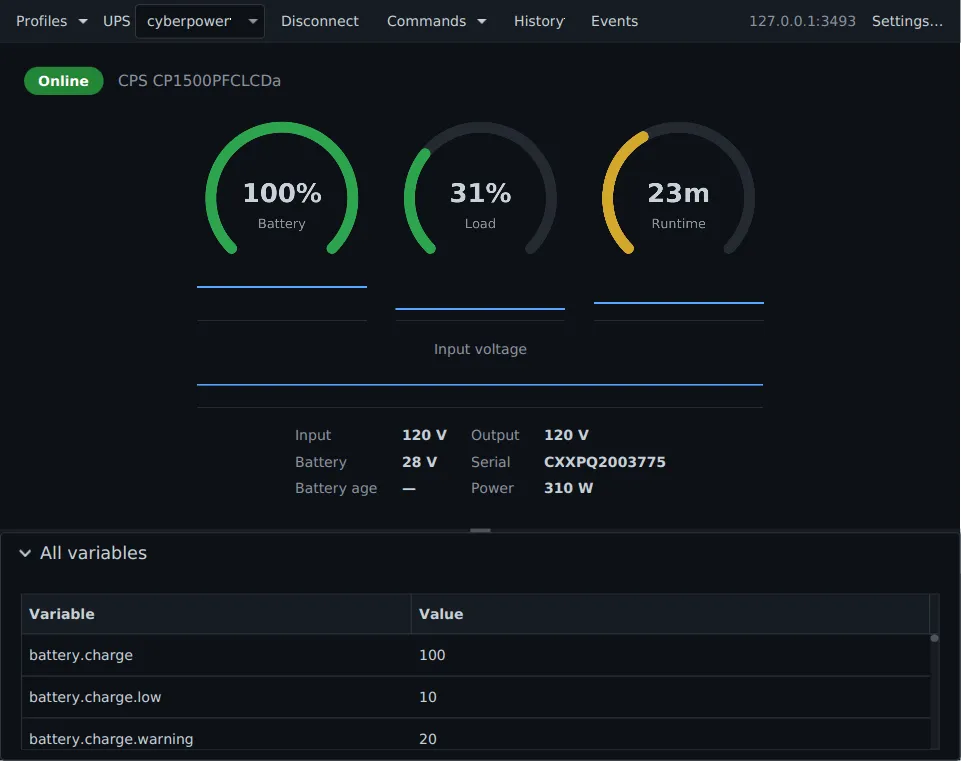
Pauta 6.1.0 · · Changelog · Permanent link to this page in 6.1.0