
Diagnostics and support
| Feature | Behaviour | Level | Editora reference |
|---|---|---|---|
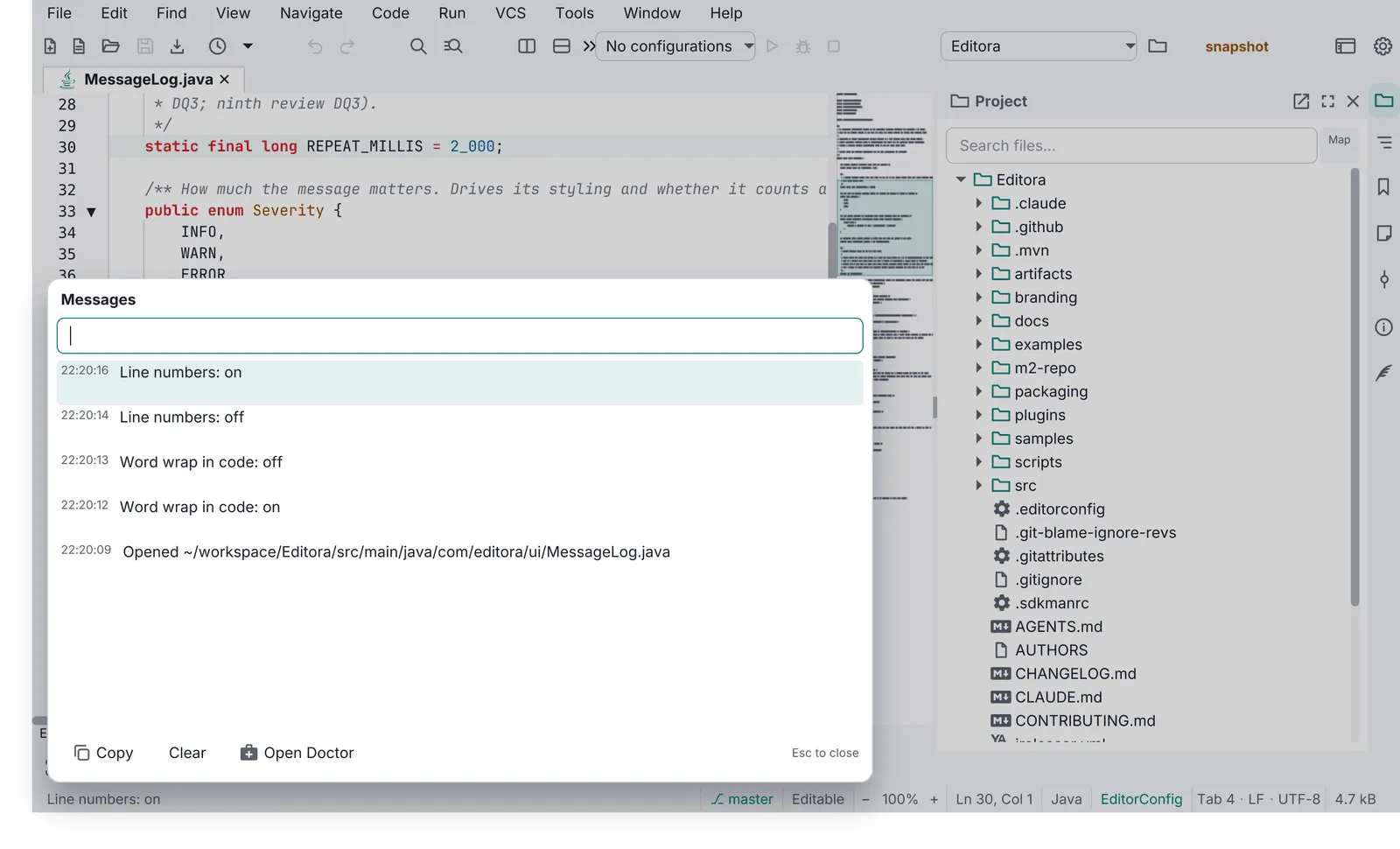
| Message Log | Session-only history of every echo-area message with HH:mm:ss times, newest first, bounded. Opened by clicking the status message; Esc closes; Clear empties it. | MUST | ui/MessageLog, ui/MessageLogPopup |
| Debug Log | Captures all java.util.logging records and uncaught exceptions in memory (bounded) and mirrors them to <app>-session.log in the config folder, keeping the previous one as <app>-session.prev.log so a crash is still visible next launch. A modeless window with Refresh, Copy, Clear, Export and Report a Problem. The only way to see logs in a packaged build. | MUST | ui/DebugLog, ui/DebugLogWindow |
| Uncaught exception handler | Installed first thing in main; routes to the Debug Log and an echo message. Never a stack trace dialog. | MUST | DebugLog.install() |
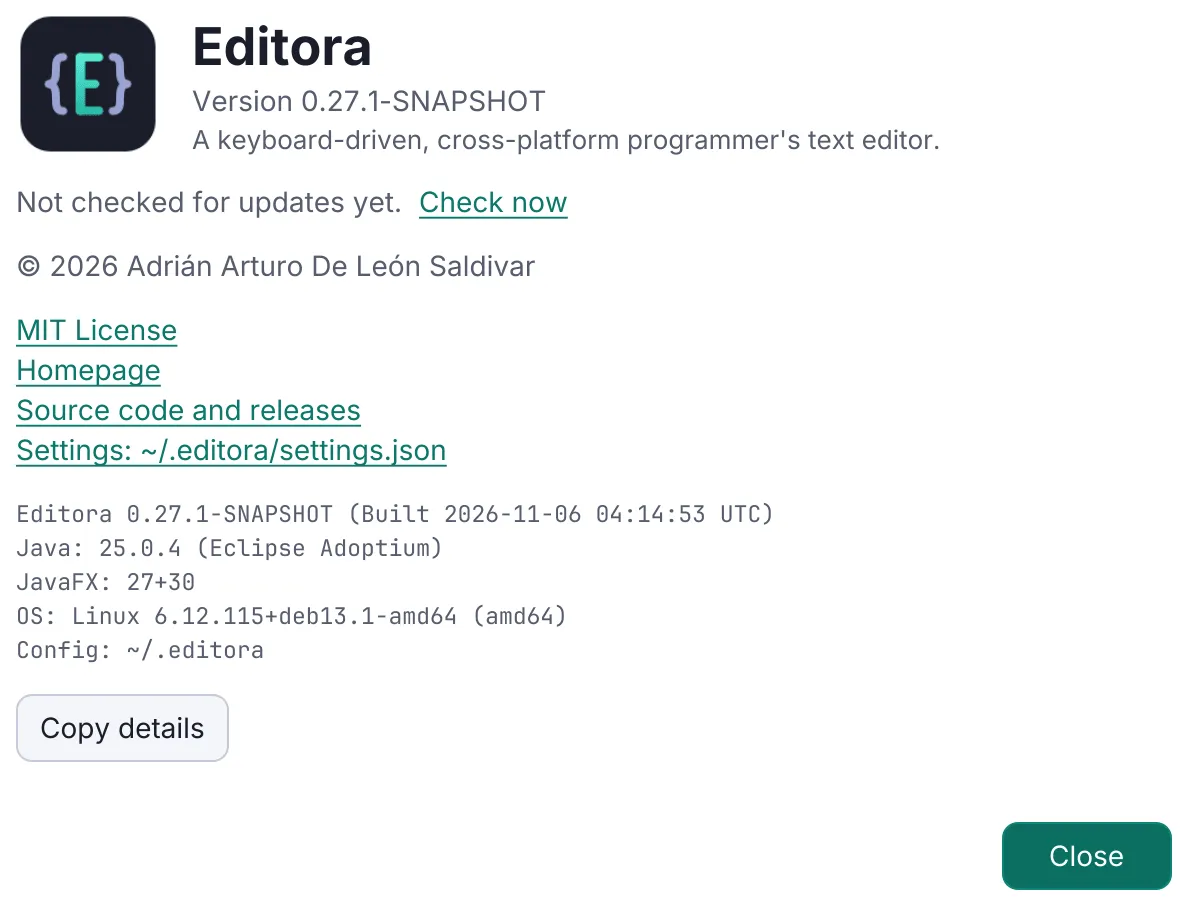
| Update notification | Reads GitHub /releases/latest. Once per app session (not per window), at most once a day, a few seconds after the first frame. A newer version shows a status-bar notice and a line in About; “Check for Updates” runs it by hand. Off switch in Settings. Never downloads or installs by itself. | MUST | update/UpdateCheck, ui/UpdateCheckScheduler, ui/UpdateCoordinator |
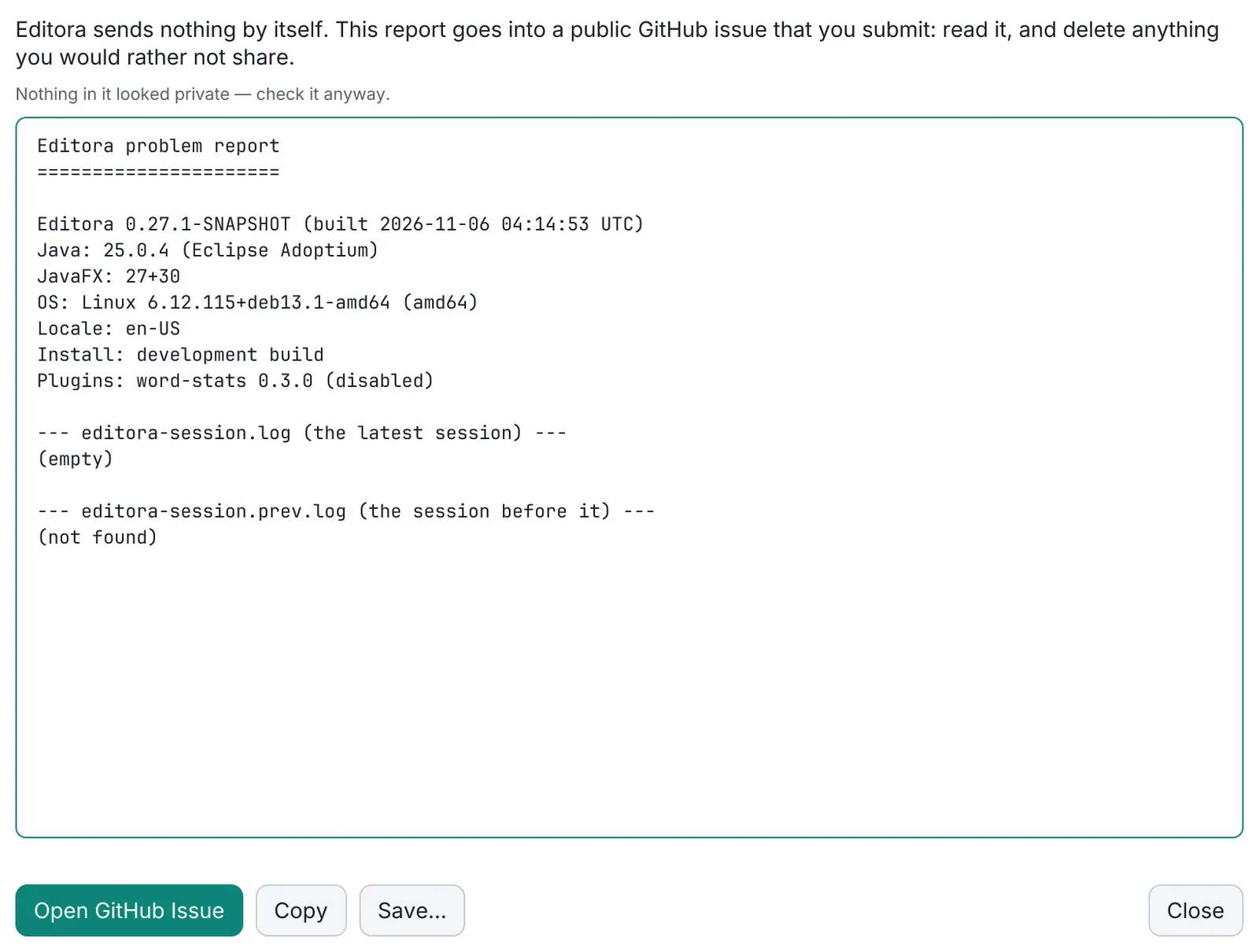
| Report a Problem | Help → Report a Problem builds a report (version, OS, runtime, settings summary, recent Debug Log), redacts it (home paths, user names, tokens, hosts), shows it editable, copies it to the clipboard and opens a prefilled GitHub issue from bug_report.yml. Over about 7,500 characters the link falls back to “paste from the clipboard”. <app> --report does the same from the command line for when the app cannot start. Nothing is uploaded. | MUST | report/ProblemReport, report/Redactor, report/ReportCommand, ui/ReportProblemWindow |
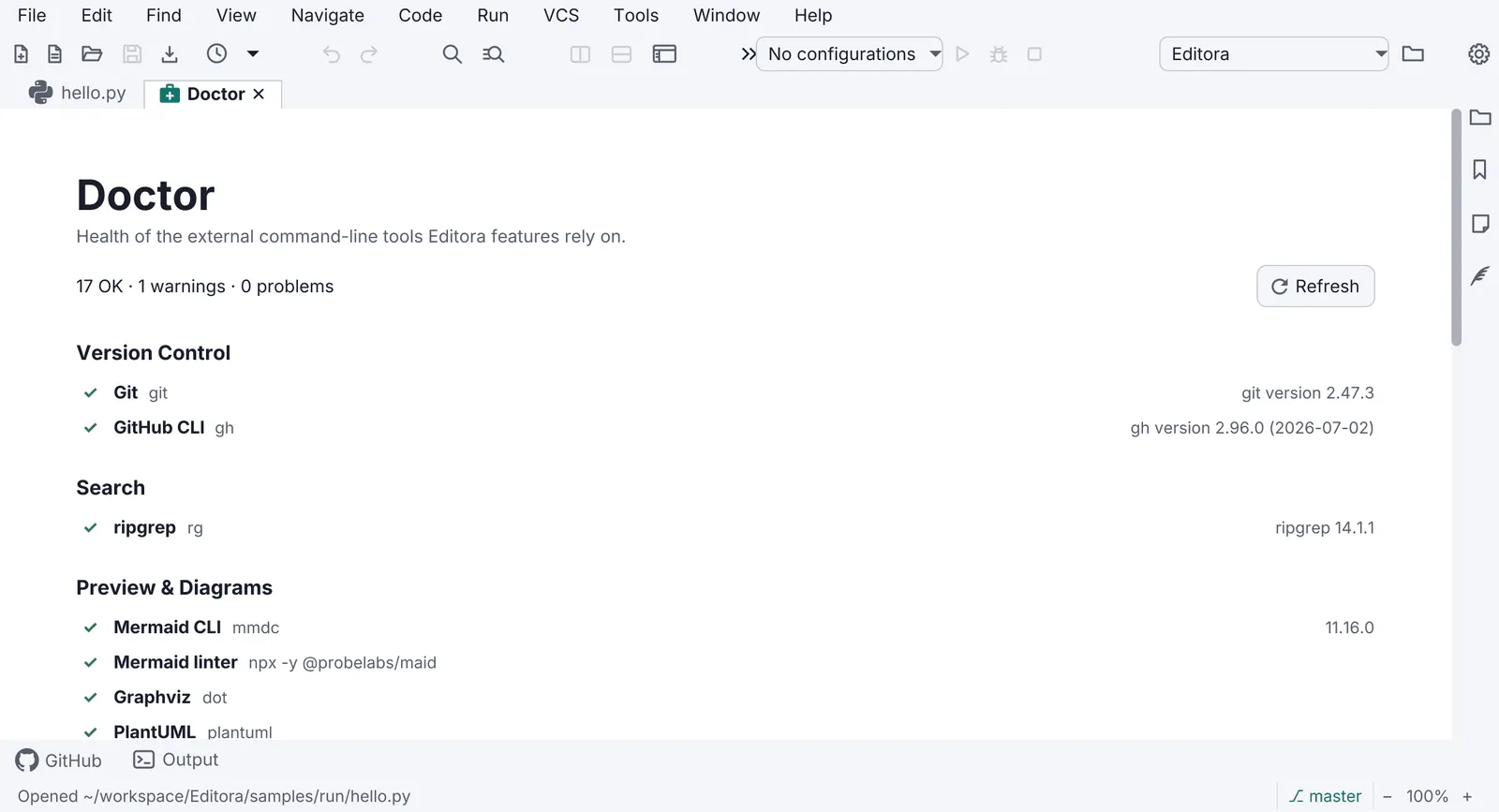
| Doctor | A page that checks the environment (external tools, versions, permissions, paths) with a status per row and a fix or link for each failure. | SHOULD | doctor/*, ui/DoctorPane |
| Crash recovery | Unsaved user work is snapshotted off the FX thread and offered back after a crash. | SHOULD (apps with user documents) | recovery/RecoveryService |
Secrets never reach a log, a report or a config file: see Secrets stay out of files.
Pauta 1.1.0 · · Changelog