
Settings Sync
SHOULD in every app with user data worth carrying between computers (snippets,
templates, shortcuts, profiles, saved views). A page in the Settings window, found by searching “sync”. No server and
no account of ours: the store is a private Git repository the user owns, reached through their own Git credentials.
Reference: Editora’s sync/ package (SyncEngine, SyncMerge, SyncAccount) and ui/SettingsSync.java, with
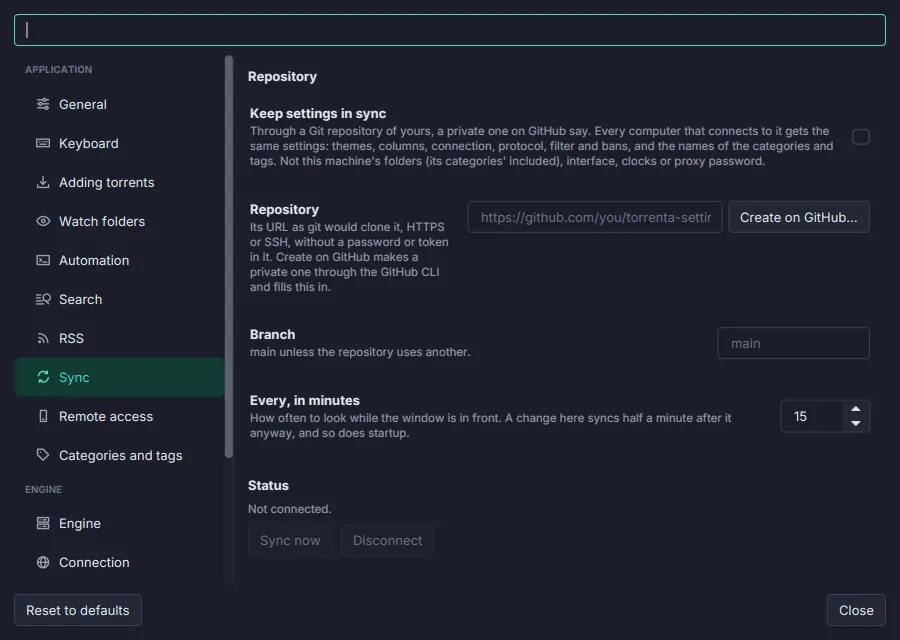
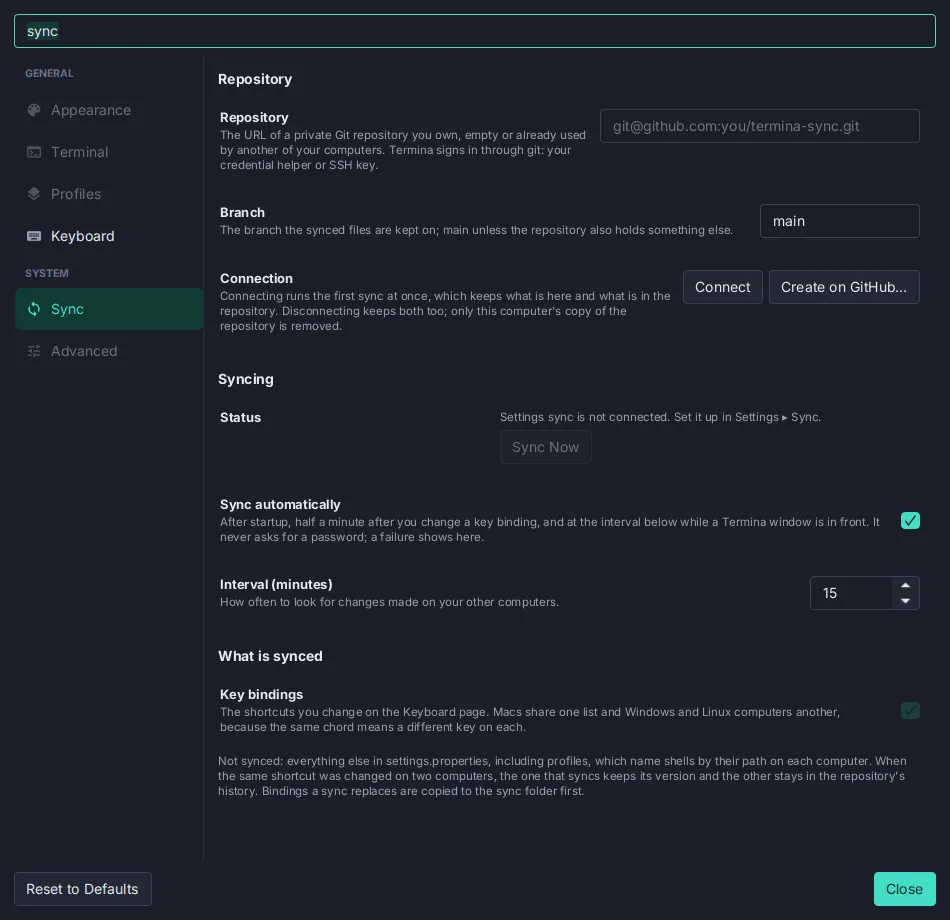
the page in SettingsWindow; Torrenta and Termina carry the same package.
Anatomy
Section titled “Anatomy”Sync
- 1Its own page in the Settings sidebar, under System, found by the Settings search ("sync", "git", "github").
- 2Repository URL. SSH or HTTPS. A URL with a password or token in it is refused, with the reason and the fix (a credential helper such as
gh auth setup-git, or an SSH URL). - 3Branch, Connect, Create on GitHub…. Connect clones or adopts the repository. Create on GitHub makes a private repository through the
ghCLI and fills the URL in. - 4Status pill plus Sync Now and Open Sync Folder (see the states below).
- 5What to sync: one switch per kind of data, each with a description when its scope is not obvious.
- 6What is not synced, said plainly: machine-local preferences, the keymap in use, anything with paths.
- 7Automatic sync with its interval in minutes (default 15, at least 1). Automatic runs never prompt.
- 8Privacy and conflicts, in one note: use a private repository; on a same-entry conflict the computer you sync from wins, and the other version stays in the history.
Status pill states
Section titled “Status pill states”Green, amber and red are the Settings status-pill colours. Amber means “will recover by itself” (offline, the remote unreachable); red means “the user must act” (Git missing, the repository written by a newer version, a sync that would remove most of a kind of data and waits for confirmation). The pill’s accessible text is “Sync status: …”.
| Property | Value | Reference |
|---|---|---|
| Store | A Git repository the user owns, cloned into <config>/sync/; one folder per kind of data | SyncEngine, SyncTarget |
| Sign-in | The user’s own Git credentials (credential helper or SSH key); the GitHub account that can read the repository is pinned per clone | SyncAccount |
| Automatic runs | After startup, 30 s after a local change, and every n minutes (default 15) | SettingsSync.DIRTY_DELAY_SECONDS, syncIntervalMinutes |
| Conflicts | Per entry; this computer wins; the other version stays in history | SyncMerge |
| Safety | Files a sync replaces are copied to the sync folder first; a sync that would remove most of a kind of data stops and asks | SyncReport |
| One runner | Sync runs in the first instance only; a second instance says so | status.sync.secondaryInstance |
| Failures | To the status bar and the Message Log, said once per failure, not once per interval | SettingsSync |
| Palette | Settings Sync: Set Up…, Sync Now, and Toggle Sync Automatically | sync.setup, sync.now, sync.toggleAuto |
| Key | English |
|---|---|
settings.sync.subtitle | Keep your snippets, abbreviations, templates and personal dictionary the same on every computer, through a Git repository you own. |
settings.sync.connect / settings.sync.createGithub | Connect / Create on GitHub… |
settings.sync.now / settings.sync.openFolder | Sync Now / Open Sync Folder |
settings.sync.pill.* | Connected · Not connected · Sync failing · syncing… · retrying · synced {0} min ago |
status.sync.notSetUp | Settings sync is not connected. Set it up in Settings ▸ Sync. |
In the apps
Section titled “In the apps”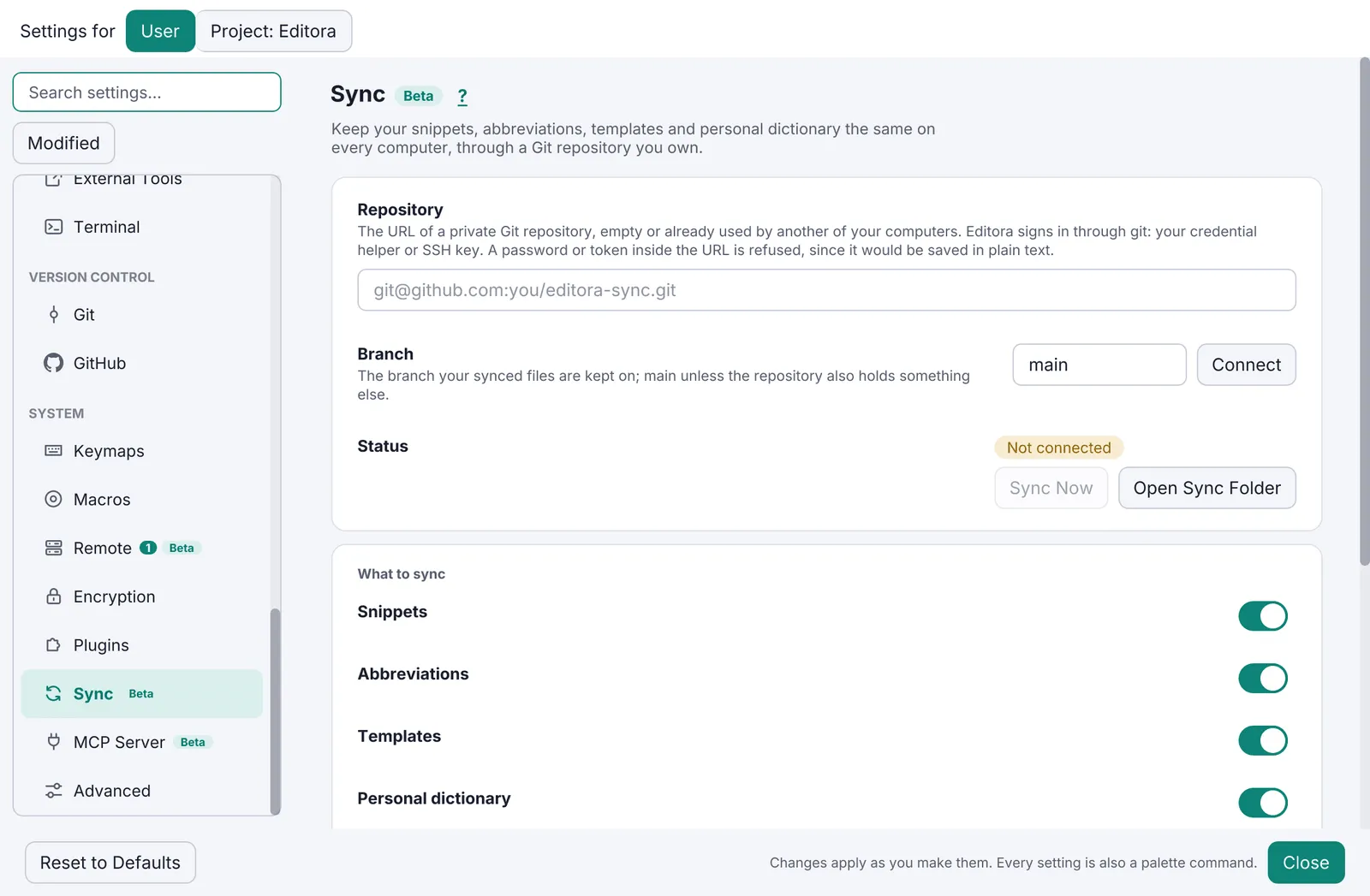
Pauta 1.1.0 · · Changelog