
Keyboard first
Commands
Section titled “Commands”- Every user-facing action is a
Command(id, title, runnable) registered in oneCommandRegistry. - Command ids are dotted and grouped by area:
file.open,view.toggleStatusBar,help.reportProblem. - Titles come from
command.<id>and palette descriptions fromcommand.<id>.descin the message catalogs, so a registered command is localized and discoverable without extra work. - A command that cannot run in the current context is shown greyed with a tooltip that says why, not hidden.
Command Palette
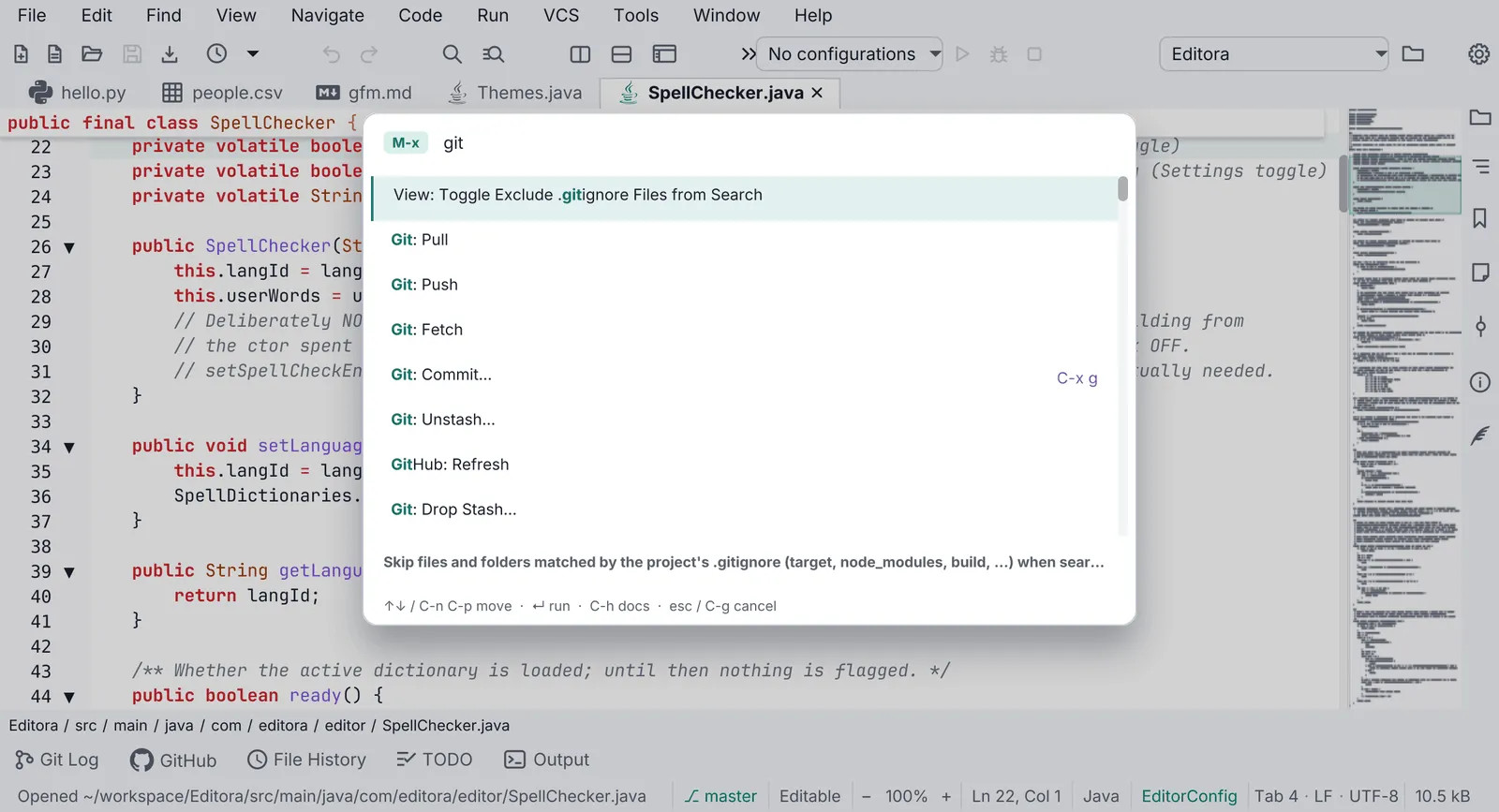
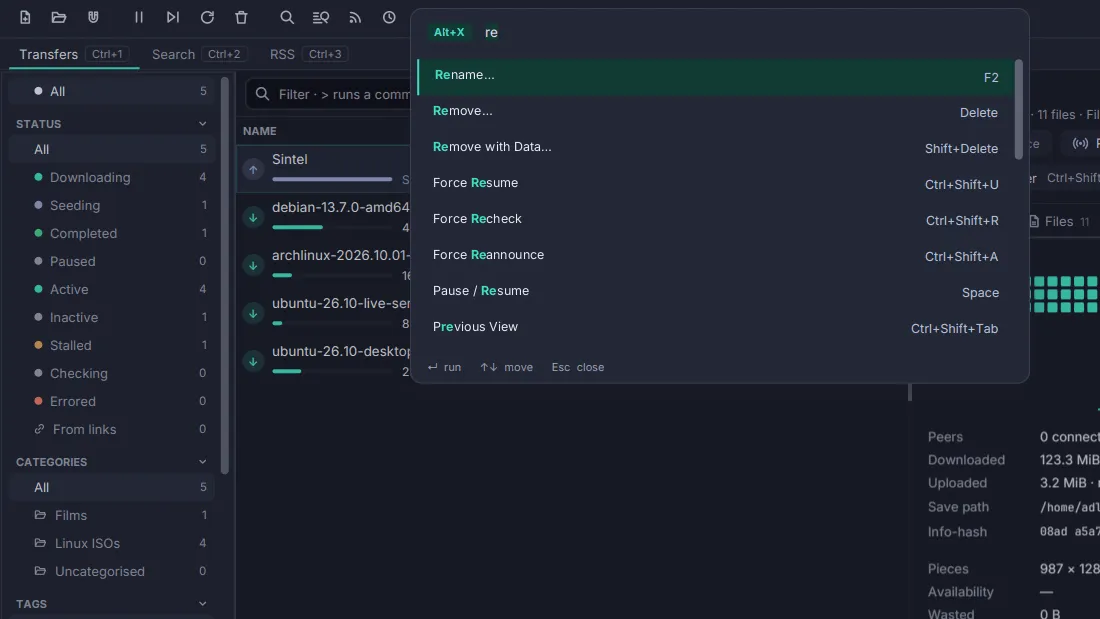
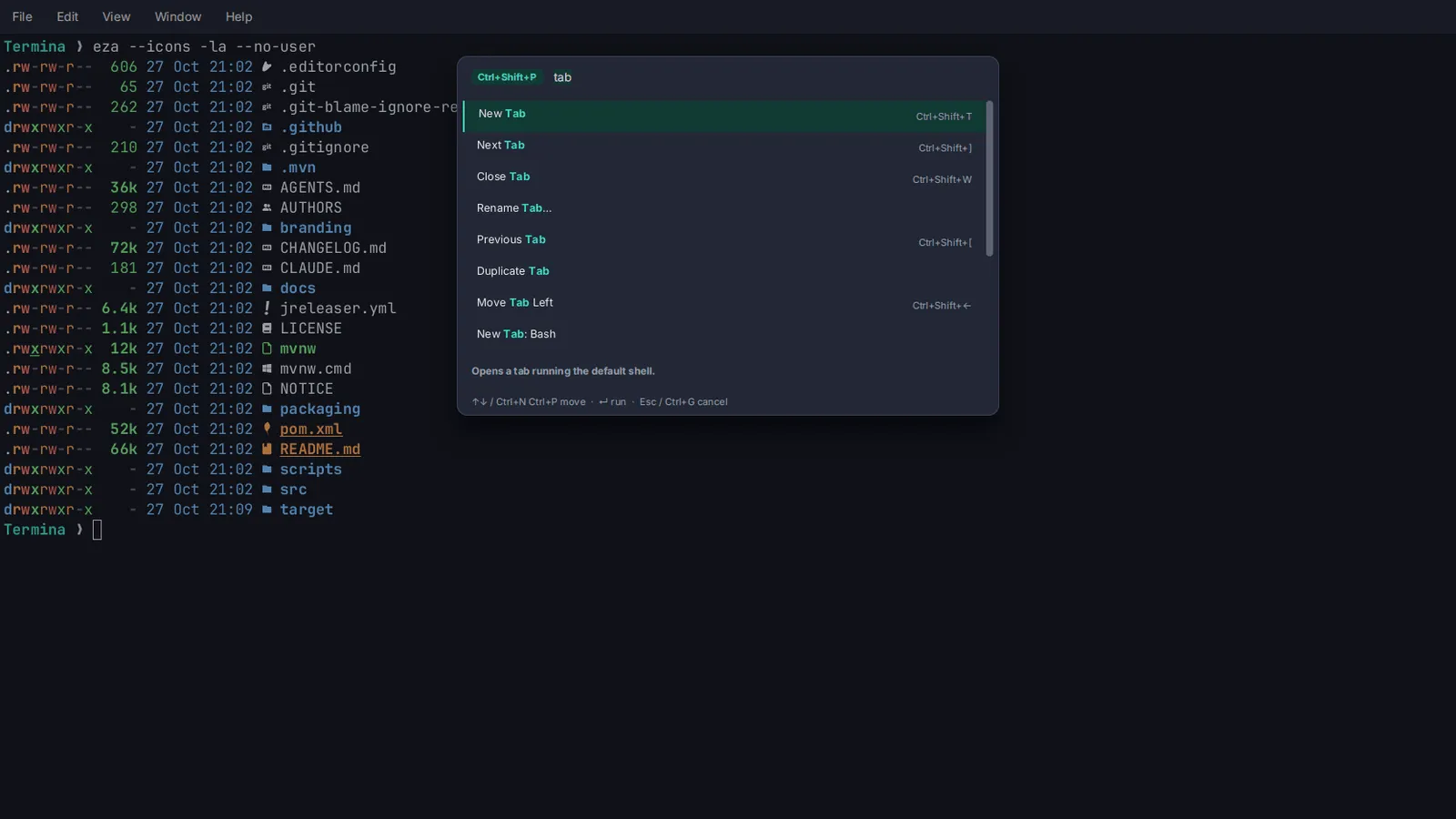
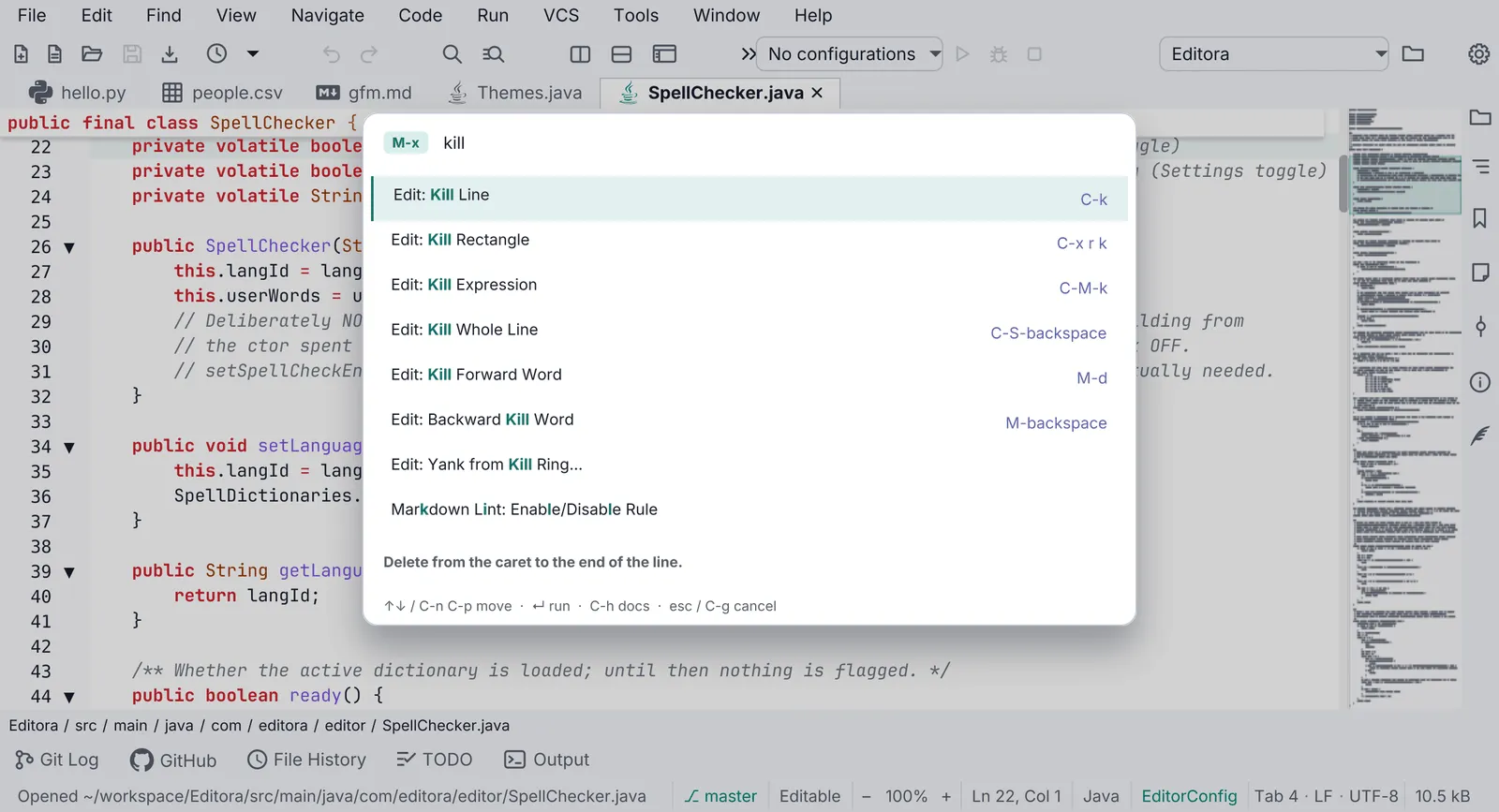
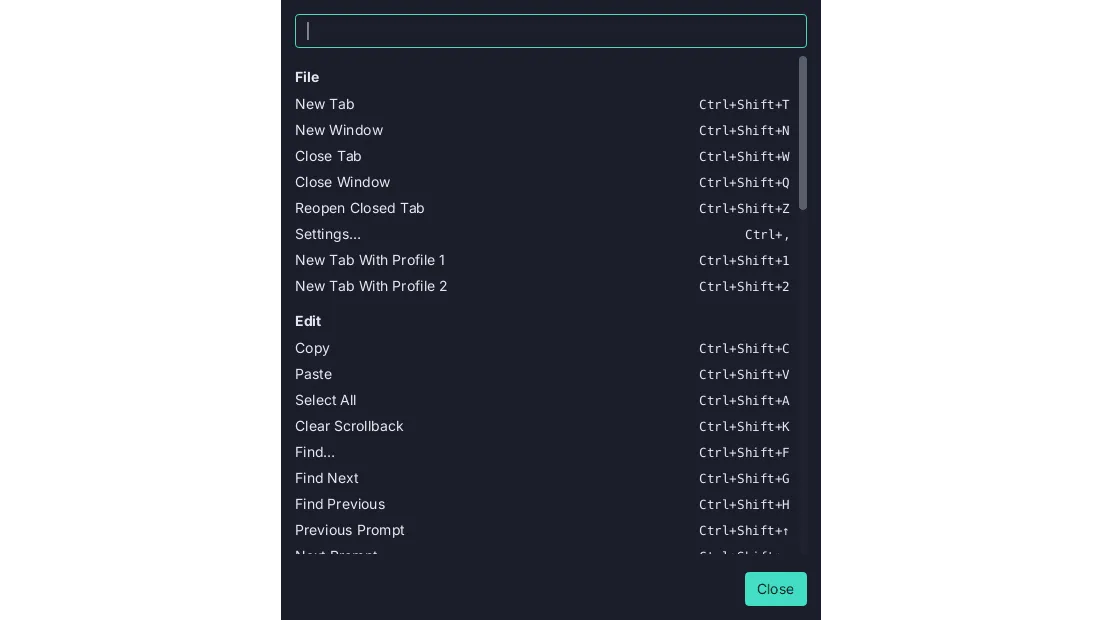
Section titled “Command Palette”- MUST Opened by
M-xin Emacs keymaps andCtrl/Cmd+Shift+Pin the others. - Fuzzy matching over title, id and description; a query that names a command’s title outranks a fuzzy hit. Each row shows the active key binding. See the Command Palette template.
- It is an in-scene overlay in the window’s root
StackPane, not ajavafx.stage.Popup. On Windows a Popup does not reliably take OS keyboard focus and the whole app can stop receiving keystrokes. - The same picker (
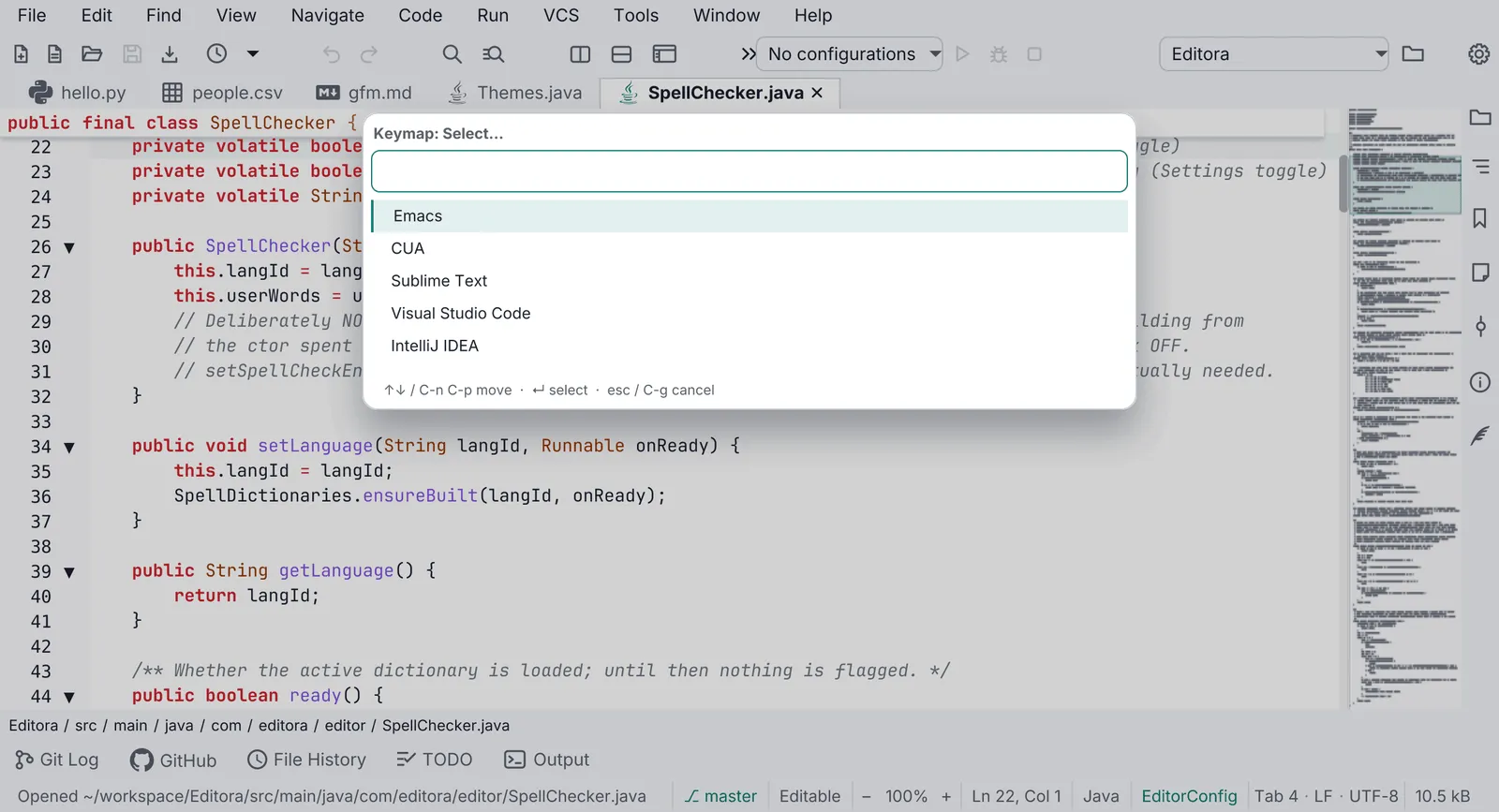
QuickOpen) serves every other list choice: recent files, themes, keymaps, settings values.
Keymaps
Section titled “Keymaps”- Ship presets as JSON resources: Emacs, CUA, IntelliJ, VS Code and Sublime, with
.mac.jsonvariants where Cmd replaces Ctrl. - Layer order: base keymap → user overrides → plugin keymaps → the user’s own bindings again, so the user
always has the last word (
KeymapLayers). - A keymap editor in Settings lists every command with its chord, searchable, with conflict warnings.
- Never bake a chord into translated text. Derive the label from the active keymap.
- Multi-key prefixes (
C-x …) show a which-key style hint listing the possible next keys.
Focus and accessibility
Section titled “Focus and accessibility”- Every interactive control is reachable with Tab and operable with Space/Enter.
- Keyboard focus is drawn by one
:focus-visibleblock at the end ofapp.css. - Icon-only buttons are built by a helper (
Icons.button) that sets both the tooltip and the accessible text. - On/off rows use a keyboard-operable switch (
SettingSwitch,TOGGLE_BUTTONrole). A bare AtlantaFXToggleSwitchis mouse-only. - Readable text uses
-color-fg-mutedor stronger;-color-fg-subtle(about 3:1) is for disabled or decorative text only. - Rows wrap instead of truncating to ”…”. Check German at 1024 px wide.
Pauta 1.1.0 · · Changelog