
Message Log
MUST in every app with a status bar. The status bar’s echo line shows one message
and replaces it with the next; the Message Log keeps them, so nothing the app said is lost because it scrolled past.
Reference: Editora’s ui/MessageLog.java (the model, no JavaFX) and ui/MessageLogPopup.java (the view); Torrenta
carries the same pair.
Anatomy
Section titled “Anatomy”Messages1
Filter messages…
214:32:07Saved Shelf.java3
14:31:52Language server for Java failed to start: jdtls was not found4
14:30:18Settings sync: not connected, retrying
14:29:40Line numbers: on
14:29:05Opened ~/workspace/shelf/src/main/java/com/example/shelf/Shelf.java
- 1Title "Messages", 14 px bold.
- 2Filter, focused on open. Filters as you type; ↓ or Enter moves into the results without leaving the field.
- 3Entry. The time as
HH:mm:ss(11 px, monospace, muted) and the message as it appeared in the echo line. Newest first. - 4Severity colours the message, not the row: errors red, warnings amber, information in the default colour. The time stays muted.
- 5Actions: Copy (the visible entries as text), Clear (empties the session log and its unread count), and Open Doctor: messages carry no actions of their own, and a missing tool or a server that would not start is where Doctor helps.
- 6Key hint, muted, 11 px.
- 7Echo line. The status bar's latest message; a click opens the log.
- 8Unread errors. A red count beside the echo line while errors have arrived since the log was last opened; a click opens the log.
| Property | Value | Reference |
|---|---|---|
| Kind | A popup anchored just above the status bar’s echo area, over the window | MessageLogPopup.show |
| Size | 773 px wide; the list 336 px high, scrolling past that | WIDTH, LIST_HEIGHT |
| Card | -color-bg-overlay, radius 12, like the palette | .message-log |
| Rows | Padding 2 4, radius 5; selected row -state-sel | .message-log-list .list-cell |
| Capacity | The newest 200 messages; older ones drop off | MessageLog.MAX_ENTRIES |
| Repeats | A message repeated within 2 s moves to the top as one entry, unread once | REPEAT_MILLIS |
| Lifetime | This session only, in memory. Not written to disk: the Debug Log is the persistent record | MessageLog |
| Blank messages | Not recorded (a blank message only clears the echo line) | MessageLog.add |
Behaviour
Section titled “Behaviour”- Open: click the echo line or the unread-error count, or run
view.messageLog. - Close: Esc,
C-g, or a click outside. Copy:Ctrl/Cmd+Ccopies the selected entries. - Severity comes from the message key (
StatusSeverity): a key ending inFailedorErroris an error, one withcannotorinvalida warning. Name new keys accordingly, or report through the error channel directly. - Opening the log, or clearing it, resets the unread-error count. An unread error is never evicted silently: the count keeps it even when the entry drops off the end.
| Key | English |
|---|---|
messagelog.title | Messages |
messagelog.filter | Filter messages… |
messagelog.empty | No messages yet |
messagelog.copy / messagelog.clear | Copy / Clear |
messagelog.doctor | Open Doctor |
messagelog.hint | Esc to close |
In the apps
Section titled “In the apps”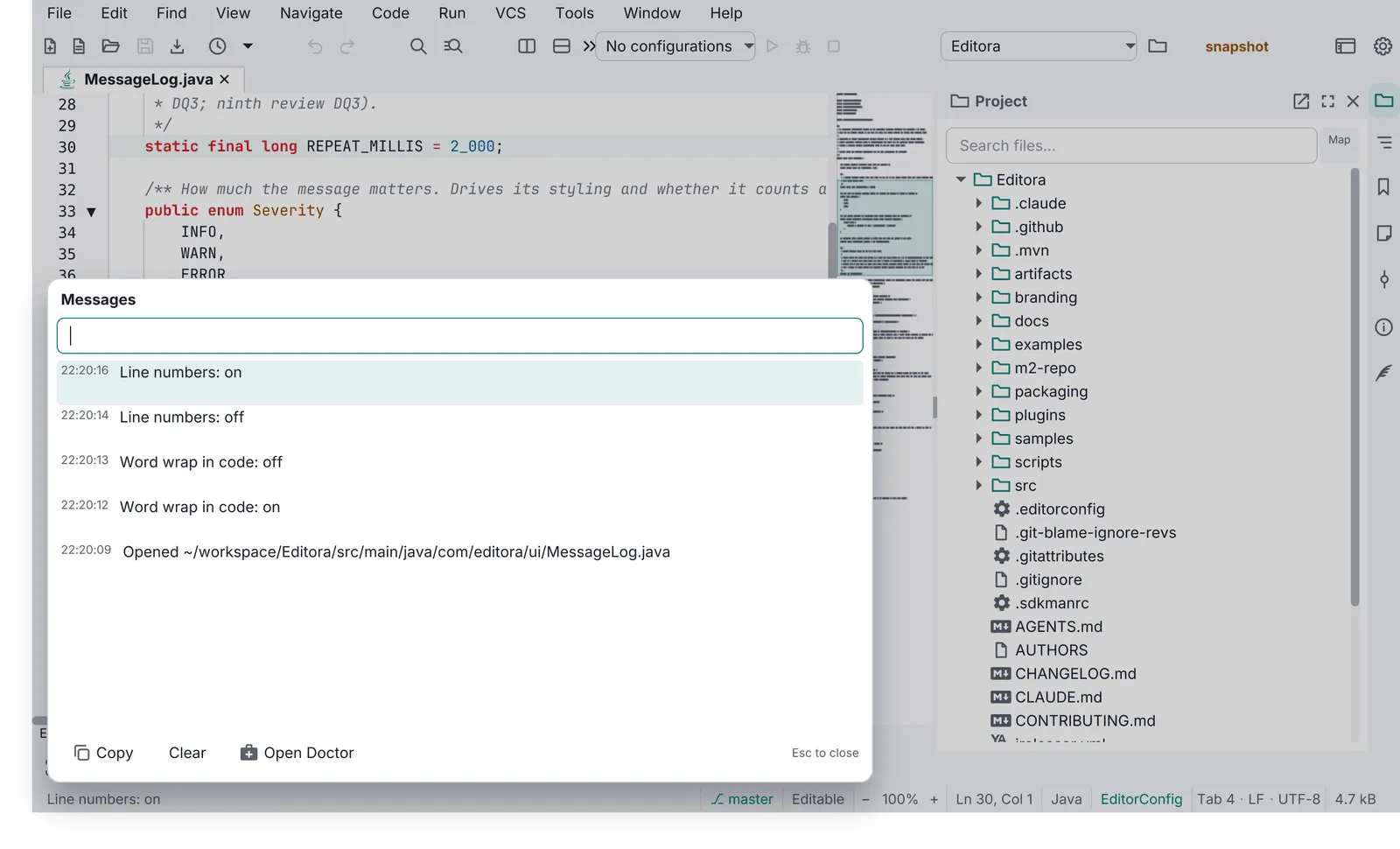
Pauta 1.1.0 · · Changelog